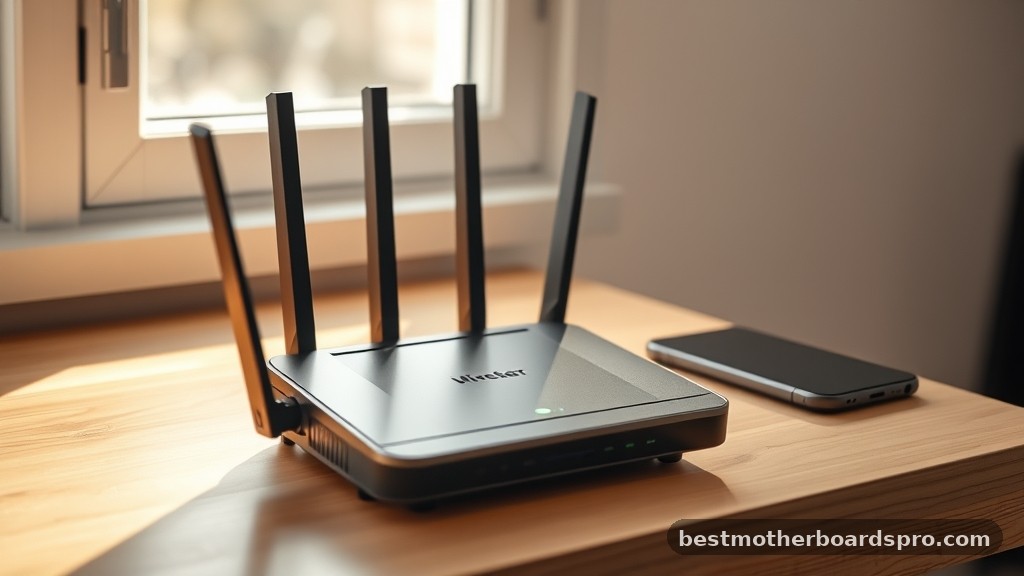
Why settle for a restrictive factory firmware when you could run your own network? Custom software offers the kind of deep control that generic consumer hardware simply hides behind a paywall.
Finding the Best Routers for Openwrt is the first step toward reclaiming your privacy and your bandwidth. Let’s compare the hardware that actually gives you the keys to your own house.
Key Takeaways
- Prioritize devices with at least 512MB of RAM to ensure you have enough memory for heavy packet inspection or complex VPN configurations.
- Always check for mainline support in the OpenWrt repository, as this guarantees easier updates and a more stable experience than unofficial forks.
- Seek out hardware with at least one 2.5G port if you want to avoid future bottlenecks as your home internet speeds increase.
- Choose a processor with a high clock speed if you intend to run intensive services like AdGuard Home or encrypted VPN tunnels.
- Confirm that the wireless radio chipsets have open-source driver support to avoid performance limitations or unexpected connectivity drops.
| High Performance Powerhouse |  |
GL.iNet Flint 2 Wi-Fi 6 Router | Dual 2.5G ports | Fast Wi-Fi 6 throughput | Native OpenWrt support | View on Amazon | Read Review |
| Pocket Sized Companion |  |
GL.iNet Opal Travel Router | Ultra-portable design | Reliable VPN support | Simple interface | View on Amazon | Read Review |
| Speedy Mobile Gateway |  |
GL.iNet Beryl AX Travel Router | Wi-Fi 6 speeds | 2.5G WAN port | Compact size | View on Amazon | Read Review |
| Maker Friendly Board |  |
Banana Pi OpenWrt One Router | OpenWrt mainline support | Powerful MediaTek SoC | High customization potential | View on Amazon | Read Review |
| Practical Mesh Alternative |  |
Cudy AX3000 Wi-Fi 6 Router | Easy mesh setup | Four gigabit ports | Reliable AX3000 speeds | View on Amazon | Read Review |
| Future Proof Speedster |  |
GL.iNet Flint 3 Wi-Fi 7 Router | Tri-band Wi-Fi 7 | Multiple 2.5G ports | Superior wireless bandwidth | View on Amazon | Read Review |
| Versatile Home Hub | 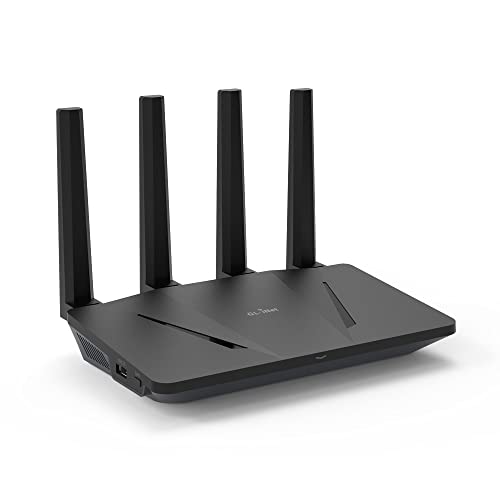 |
GL.iNet Flint Wi-Fi 6 Router | Supports 120+ devices | Excellent stability | AdGuard Home pre-installed | View on Amazon | Read Review |
| Portable Connectivity Beast | 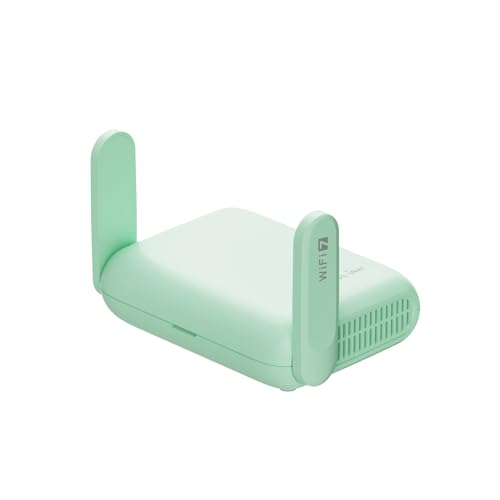 |
GL.iNet Beryl 7 Travel Router | Wi-Fi 7 performance | Dual 2.5G ports | Fast VPN encryption | View on Amazon | Read Review |
| Intuitive Touch Interface |  |
GL.iNet Slate 7 Travel Router | Built-in touchscreen | Wi-Fi 7 speed | Extremely compact | View on Amazon | Read Review |
| Mainstream Wi-Fi Upgrade |  |
TP-Link Archer BE230 Wi-Fi 7 | Wi-Fi 7 technology | EasyMesh support | Quad-core processing | View on Amazon | Read Review |
More Details on Our Top Picks
-
GL.iNet Flint 2 Wi-Fi 6 Router
If you want the gold standard for OpenWrt home routing, look no further than the Flint 2. It shines for users who need multi-gigabit speeds and stable throughput for a large household or small office.
The dual 2.5G ports provide a solid foundation for high-speed fiber connections. Just be aware that its physical footprint is larger than typical travel routers, so you will need dedicated shelf space.
- Wireless Standard:Wi-Fi 6
- Ethernet Ports:2 x 2.5G, 4 x 1G
- Security Protocol:OpenVPN, WireGuard
- Additional Feature:Pre-installed OpenWrt firmware
- Additional Feature:8-stream Wi-Fi connectivity
- Additional Feature:AdGuard Home support
-
GL.iNet Opal Travel Router
The Opal is the perfect choice for the frequent traveler who needs a secure connection in hotel rooms or public hotspots. It fits comfortably in a bag, weighing next to nothing while offering reliable encryption for your traffic.
Because it relies on the AC1200 standard, it is not meant for heavy media streaming or massive file transfers. It works best as a secure gateway for your laptop and phone while you are on the move.
- Wireless Standard:Wi-Fi 5 (AC1200)
- Ethernet Ports:3 x 1G
- Device Category:Travel Router
- Security Protocol:OpenVPN, WireGuard
- Additional Feature:Supports 30+ VPN services
- Additional Feature:Lightweight 145g build
- Additional Feature:Dual-band frequency support
-
GL.iNet Beryl AX Travel Router
Beryl AX elevates your mobile networking by bringing Wi-Fi 6 performance to a compact form factor. It is ideal for digital nomads who demand fast throughput while working from remote locations or rental properties.
You get a 2.5G WAN port, which is impressive for a router that fits in your palm. Keep in mind that heavy VPN usage on the go can occasionally cause the unit to run warm.
- Wireless Standard:Wi-Fi 6
- Ethernet Ports:1 x 2.5G, 1 x 1G
- Device Category:Travel Router
- Security Protocol:OpenVPN, WireGuard
- Additional Feature:USB 3.0 port
- Additional Feature:Dual-band connectivity
- Additional Feature:Built-in VPN support
-
Banana Pi OpenWrt One Router
This board is designed specifically for open source enthusiasts who enjoy customizing their network hardware from the ground up. It offers mainline support for OpenWrt, making it a dream for those who want total control over their firmware environment.
Since this is a specialized piece of hardware, it lacks the plug-and-play simplicity of consumer appliances. You should have some technical comfort with flashing firmware before picking this up.
- Wireless Standard:Wi-Fi 6
- RAM Capacity:1GB DDR4
- Device Category:Single Board Router
- Additional Feature:MediaTek MT7981B chip
- Additional Feature:RJ45 ethernet connectivity
- Additional Feature:Developer-focused hardware
-
Cudy AX3000 Wi-Fi 6 Router
The Cudy WR3000 offers a straightforward networking experience for those who need a standard home setup with mesh capabilities. It is a solid choice for users who want reliable coverage across multiple rooms without high complexity.
While it lacks some of the deep, enthusiast-level configurations found in specialized OpenWrt devices, it remains a dependable workhorse. It is best suited for basic to intermediate home network demands.
- Wireless Standard:Wi-Fi 6
- Ethernet Ports:4 x 1G
- Device Category:Home Router
- Additional Feature:App-based management
- Additional Feature:Mesh network support
- Additional Feature:Dual-band frequency
-
GL.iNet Flint 3 Wi-Fi 7 Router
If you want to jump into the latest wireless standard, the Flint 3 is a formidable entry point. Its tri-band architecture and Wi-Fi 7 capabilities ensure your network is ready for the most demanding tasks, like 8K streaming or low-latency gaming.
The sheer volume of bandwidth is impressive, but ensure your client devices actually support Wi-Fi 7 to see the full benefit. It is a robust investment for users who upgrade their hardware infrequently.
- Wireless Standard:Wi-Fi 7
- Ethernet Ports:5 x 2.5G
- Device Category:Home Router
- Additional Feature:6GHz frequency band
- Additional Feature:VPN hardware acceleration
- Additional Feature:Low-latency optimization
-
GL.iNet Flint Wi-Fi 6 Router
The original Flint remains a dependable middle ground for households that need to manage many devices at once. It handles high traffic volume well, making it a great pick for a busy family environment.
It lacks the 2.5G ports of the newer models, which limits your wired speed potential if you have a multi-gig internet plan. However, for a standard gigabit connection, it performs exceptionally well.
- Wireless Standard:Wi-Fi 6
- Ethernet Ports:5 x 1G
- Device Category:Home Router
- Security Protocol:OpenVPN, WireGuard
- Additional Feature:WPA3 encryption support
- Additional Feature:OFDMA technology integration
- Additional Feature:Easy setup process
-
GL.iNet Beryl 7 Travel Router
The Beryl 7 brings the power of Wi-Fi 7 to your suitcase, ensuring you never compromise on speed while traveling. It is effectively a high performance workstation in a tiny package.
With dual 2.5G ports, it provides wired connectivity speeds that rival most stationary home routers. It is perfect for professionals who need to securely tunnel large amounts of data while on the road.
- Wireless Standard:Wi-Fi 7
- Ethernet Ports:2 x 2.5G
- Device Category:Travel Router
- Security Protocol:WPA3, WireGuard
- Additional Feature:USB 3.0 support
- Additional Feature:AdGuard Home included
- Additional Feature:Lightweight design
-
GL.iNet Slate 7 Travel Router
The Slate 7 is unique because of its integrated touchscreen, which makes toggling VPNs or ad-blocking settings as simple as tapping a screen. It is tailor-made for travelers who want convenient control without digging into a web interface.
The screen is small, so it serves best as a quick-access tool rather than a comprehensive dashboard. It is an ideal choice for tech-forward travelers who prioritize ease of use.
- Wireless Standard:Wi-Fi 7
- Ethernet Ports:2.5G supported
- Device Category:Travel Router
- Additional Feature:VPN toggle button
- Additional Feature:AdGuard management via screen
- Additional Feature:Ideal for RVs and hotels
-
TP-Link Archer BE230 Wi-Fi 7
The Archer BE230 offers a great balance of modern Wi-Fi 7 features and ease of management. It is a sensible pick for home users who want to move to the newest standard without navigating complex, custom firmware settings.
While it supports VPN capabilities, it is not as customizable as a native OpenWrt device. You get a balanced feature set that covers security and mesh support out of the box.
- Wireless Standard:Wi-Fi 7
- Processor Speed:2.0 GHz
- Ethernet Ports:2 x 2.5G, 3 x 1G
- Device Category:Home Router
- Additional Feature:Private IoT network
- Additional Feature:Multi-Link Operation (MLO)
- Additional Feature:HomeShield security suite
Frequently Asked Questions
Is it difficult to install OpenWrt on a new router?
The process usually involves uploading a firmware file through the existing web interface of your router. It is much like updating your software, but you must ensure you select the correct firmware image specific to your exact model revision.
Will installing OpenWrt void my warranty?
Most manufacturers consider the installation of third-party firmware a violation of their service terms. You should assume that modifying the software will void your warranty, so proceed only when you feel confident in your ability to follow the instructions.
Can I go back to the original software if I do not like OpenWrt?
You can usually revert to the factory firmware by flashing the original file provided by the manufacturer. Keep a copy of the stock firmware file on your computer before you begin just in case you need to restore your device to its original state.
Does OpenWrt improve my wireless range?
OpenWrt allows for more granular control over your radio settings, which can sometimes result in better performance. However, your physical range is primarily limited by the hardware antennas and the layout of your home rather than the software itself.
What is the main benefit of using OpenWrt over stock firmware?
The biggest advantage is the total control you gain over your network security and traffic management. You can install custom privacy tools and advanced firewall rules that are simply not available on standard consumer routers.