


If you have recently experienced a power flicker or moved into a new home, you might notice your kitchen appliance blinking a default time. Learning how to set the clock on your Frigidaire microwave is a straightforward process that restores normalcy to your kitchen routine. Most models follow a very similar logic, relying on a dedicated button on the control panel to initiate the adjustment.
Whether you are dealing with a modern Frigidaire Gallery model or a classic countertop unit, getting your digital interface back on track takes less than a minute. Let’s look at the specific steps required to get your time-of-day display showing the correct local time again.
Identifying Your Control Panel Layout
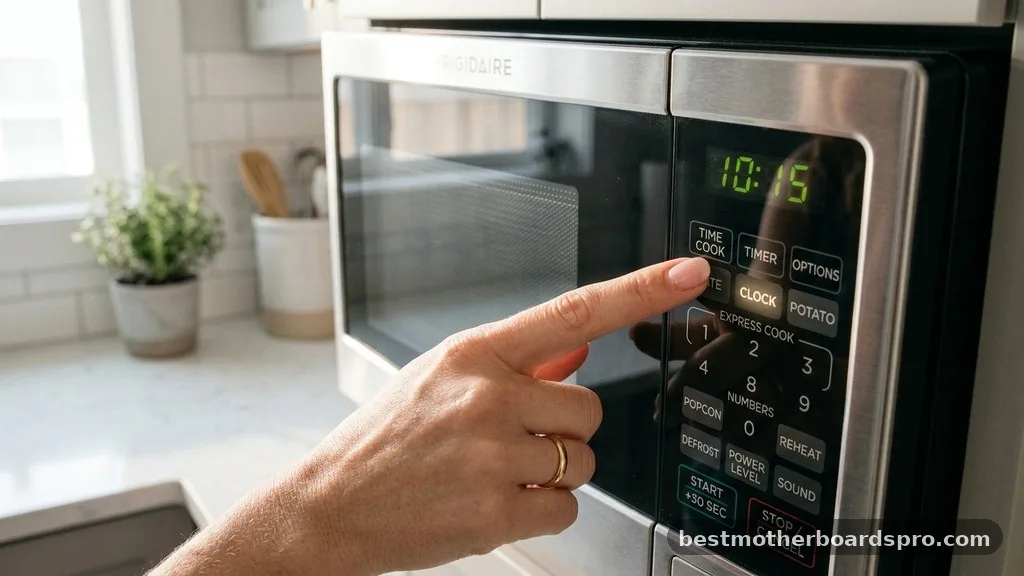
Before you begin, take a quick look at your appliance’s interface. Frigidaire designs their microwaves with a few standard button configurations.
Most units feature a dedicated button labeled “Clock” or “Timer/Clock,” which is your primary gateway to changing the settings. If you do not see a button explicitly labeled “Clock,” check for a secondary function printed in smaller text above or below the “Timer” or “Options” button.
The numerical keypad is where you will input the actual time. On some higher-end models, such as the Frigidaire Gallery series, the interface might be slightly more touch-sensitive or integrated into a glass panel, but the internal logic remains identical across the brand’s product lines. Ensure the microwave is in standby mode—meaning it is not currently running a cooking cycle—before you attempt these changes.
Standard Steps for Setting the Time
Setting the time on most standard models involves a simple sequence of button presses. If you find yourself staring at a flashing “12:00” after a power outage, follow these steps to clear the error and set the correct time.
- Press the “Clock” button once. You will typically see “12:00” or a similar prompt appear on the display screen.
- Use the numerical keypad to enter the current time. For example, if it is 3:45, press the numbers 3, 4, and 5 in sequence.
- If your model requires a specific AM/PM setting, you may need to press the “1” for AM or “2” for PM, or sometimes the “Clock” button again to toggle between them.
- Press the “Start/Enter” button to lock in your selection. The colon on the display should stop flashing, indicating the time is set.
Handling Specific Model Variations
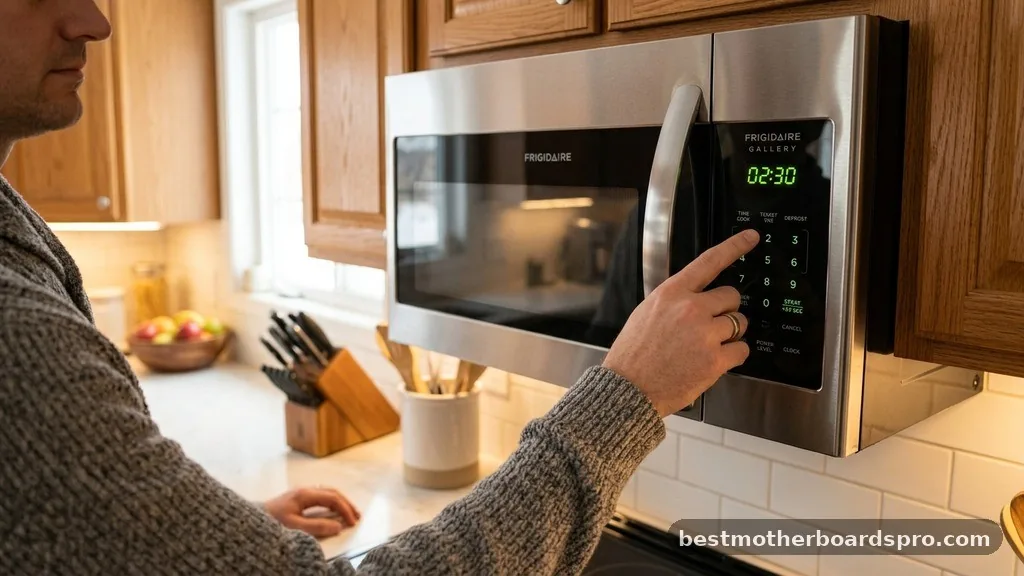
While the general process works for the vast majority of units, certain models like the FMOS1846BSA or the FGMV154CLFA might require a slightly different touch. These models often prioritize a clear, bright digital interface that guides you through the menu.
If your microwave has a “User Pref” or “Settings” button, you might need to navigate a menu system. Sometimes, the clock setting is tucked away within these deeper microwave settings. If you are stuck, consulting the user manual is always the most reliable way to confirm the exact sequence for your specific serial number, as manufacturers occasionally update their firmware and button mapping.
| Model Series | Common Clock Activation | Time Format |
|---|---|---|
| Standard Countertop | Press “Clock” button | 12-hour (AM/PM) |
| Frigidaire Gallery | Hold “Clock” for 3 seconds | 12/24-hour toggle |
| Over-the-Range (OTR) | Press “Timer/Clock” twice | 12-hour (AM/PM) |
Troubleshooting Common Clock Issues
Sometimes, the clock simply won’t set. This is usually due to a minor software glitch or a lingering electrical charge from a recent power outage. If the display is unresponsive when you press the clock icon, try a quick reset procedure.
Unplug the microwave from the wall outlet for at least 60 seconds. This allows the internal capacitors to discharge, effectively clearing any frozen instructions in the control board.
After plugging the unit back in, try the standard setting procedure again. If the display shows an error code, note the letters and numbers, as this might indicate a failing control board rather than a simple user-input issue. Keeping your microwave clean and dry also helps prevent moisture from interfering with the delicate electronics behind the touch-sensitive control panel.
Addressing Topical Gaps
A common point of confusion for many users involves the 24-hour vs. 12-hour format. Many modern Frigidaire units allow you to toggle this setting.
If your clock is showing “13:00” instead of “1:00,” you have likely accidentally enabled military time. You can usually fix this by pressing the “Clock” button and then checking the keypad for a “1” or “0” prompt, which often acts as a toggle switch for the display format.
Another frequent gap in information is how to turn the clock display off entirely. Some users prefer not to have a glowing light in the kitchen at night.
While not all models support this, checking your user manual for “Display Off” or “Power Save” modes can often yield a solution. On some units, holding the “0” or “Cancel” button for several seconds will toggle the display screen into a dark mode, saving a small amount of electricity while the microwave is in standby mode.
Frequently Asked Questions
Why does my microwave clock keep flashing after I set it?
If the clock continues to flash, it usually means the reset procedure was not completed correctly. Ensure you press the “Start/Enter” button after inputting the time. If it still flashes, verify that you have entered a valid time format, as some units will reject an impossible hour like 13:00.
Can I set the clock while the microwave is cooking?
No, most microwave settings, including the clock, cannot be changed while the unit is in an active cooking cycle. You must wait for the timer to finish or press the “Stop/Clear” button to return the appliance to standby mode before you can make any adjustments to the time.
What should I do if my Frigidaire control panel is unresponsive?
If the control panel buttons are not responding, perform a hard reset by unplugging the unit for one minute. If the issue persists, ensure there is no debris or moisture trapped under the membrane of the buttons, as this can cause the sensor to register constant input.
Is there a way to dim the brightness of the clock?
Many Frigidaire Gallery models include a display brightness setting. You can often adjust this by accessing the “User Pref” menu on the digital interface. Consult your specific user manual, as the button sequence varies significantly between models like the FMOS1846BSA and the FGMV154CLFA.
Final Thoughts
Getting the time right on your kitchen appliance is one of those small tasks that makes a big difference in your daily flow. By understanding how to interact with the control panel and knowing when to perform a simple power cycle, you can easily maintain your microwave’s settings. Most issues regarding the clock are solved by simply following the standard input sequence or clearing a temporary glitch caused by power interruptions.
If you ever find that the buttons remain stubborn, the user manual remains your best reference for model-specific nuances. Taking a moment to set the clock on your Frigidaire microwave ensures your kitchen stays organized and your appliances function exactly as intended. Reach out to local support if you suspect a deeper hardware failure, but for most, these steps will have your clock running perfectly in no time.
