


Many gamers assume that spending extra money on a high-end motherboard directly translates to higher frame rates or smoother gameplay. In reality, the connection between your system board and actual gaming performance is often misunderstood by enthusiasts and casual builders alike.
While your choice of hardware serves as the foundation for your entire machine, it rarely acts as a primary driver for raw graphical power or processor speed. Understanding how the motherboard influences your build helps you allocate your budget more effectively toward components that actually move the needle on your gaming experience.
The Role of the Motherboard in Gaming Systems
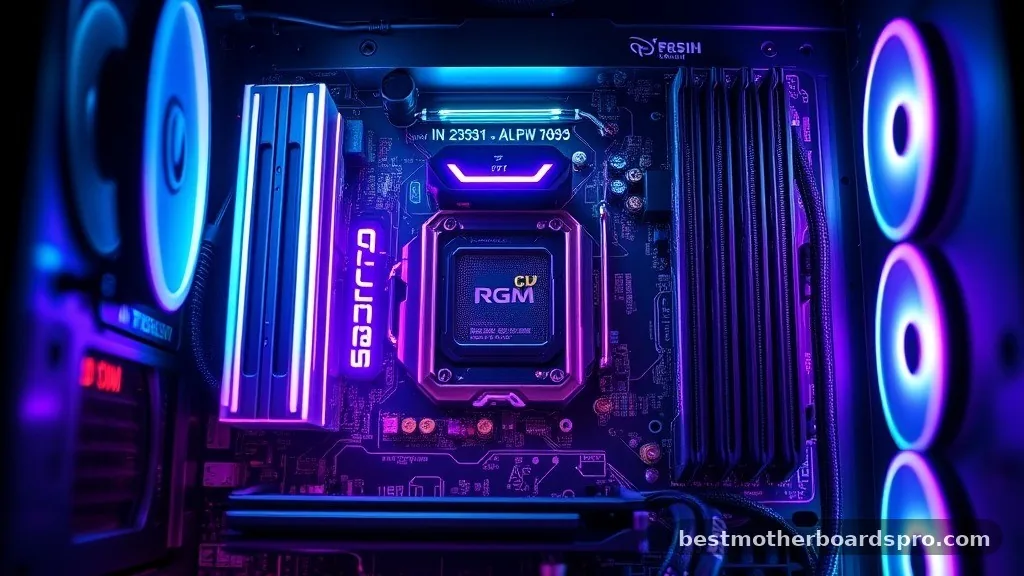
At its core, a motherboard serves as the central nervous system for your computer. It provides the physical pathways and electrical connections that allow your processor, memory, and graphics card to communicate. Unlike a CPU or GPU, which perform the heavy lifting of rendering frames and calculating physics, the board is essentially a logistical hub.
If you are wondering whether the motherboard matters for gaming, the answer is nuanced. It does not generate frames per second, but it dictates the limits of what your other parts can achieve.
A premium board might offer better heat management for your voltage regulator modules, which is vital if you push your system to its limits. However, for a user running stock settings, a mid-range board often provides the exact same gaming performance as a top-tier flagship model.
How Motherboards Impact Performance
While the motherboard isn’t a performance booster in the traditional sense, it influences your system in several practical ways. The primary impact comes down to support for high-end features and future-proofing. If your board lacks robust power delivery, your CPU might throttle under heavy loads.
Key Factors Influencing Your Choice
- Voltage Regulator Modules (VRMs): High-quality power delivery ensures stable current to your CPU, which is crucial for sustained performance during intense gaming sessions.
- PCIe Lane Configuration: Modern graphics cards rely on PCIe slots. Ensure your board supports the latest generation (like PCIe 4.0 or 5.0) to avoid limiting your GPU bandwidth.
- Memory Support: Motherboards dictate the maximum speed and capacity of your RAM, which can have a measurable impact on minimum frame rates in some titles.
- Expansion and Connectivity: The number of M.2 slots, USB ports, and network interfaces determines how many accessories and storage drives you can integrate into your build.
Comparing Motherboard Tiers for Gaming
Choosing between a budget, mid-range, or enthusiast board often comes down to your specific build goals. The following table illustrates how different tiers typically align with user needs.
| Feature Category | Budget Board | Mid-Range Board | Enthusiast/High-End |
|---|---|---|---|
| VRM Cooling | Basic/Minimal | Solid/Adequate | Heavy-Duty/Active |
| Overclocking | Limited or None | Moderate | Advanced/Extreme |
| PCIe Slots | Single GPU focus | Multiple slots | Full bandwidth support |
| Audio/Networking | Standard components | Enhanced chips | Premium/Audiophile grade |
Addressing Common Bottlenecks and Misconceptions
A common question among builders is whether the motherboard can bottleneck a GPU. In most scenarios, the answer is no.
Unless you are using an extremely outdated board with a restricted PCIe slot—such as an x4 slot running a modern, high-power card—the motherboard will not limit your frame rates. The bottleneck usually lies with the CPU or the GPU itself.
However, heat management is a legitimate concern. If you are running a high-TDP processor on a board with poor thermal design, the power delivery components may overheat.
When this happens, the motherboard will reduce the power supplied to the CPU to protect itself, causing your clock speeds to drop. This is a form of thermal throttling, and it is one of the few instances where a motherboard directly impacts your gaming experience.
Advanced Features: Do They Actually Matter?
Many high-end motherboards come packed with features that look impressive on paper but provide little value to the average gamer. Wi-Fi 7, ultra-fast 10Gb Ethernet, and complex RGB headers are “nice to have” features, but they won’t increase your FPS in a competitive shooter. If you are on a tight budget, you are much better off spending your money on a faster graphics card or a more reliable power supply.
Overclocking is another area where the motherboard matters, but only if you intend to participate in the hobby. If you want to squeeze every last megahertz out of your CPU, you need a board with a robust power delivery system and a BIOS that offers granular control over voltages. For the vast majority of players who use their systems at factory settings, these extra capabilities remain dormant.
The Gap Between Price and Practicality
When building a rig, it is easy to fall into the trap of matching a high-end motherboard with a mid-tier CPU. This is a common mistake that wastes your hardware budget.
A $400 motherboard does not make a $200 processor perform like a $600 one. You should always prioritize the “big three” components—the CPU, the GPU, and the memory—before investing in aesthetic or luxury motherboard features.
Think of the motherboard as the foundation of a house. It needs to be stable and capable of supporting the structure, but a foundation made of gold won’t make the living room any bigger.
Focus on a board that supports your chosen CPU socket, offers enough storage expandability for your games, and fits your case. Everything else is secondary to the actual gaming output.
Frequently Asked Questions
Does the motherboard affect FPS?
Generally, no. The motherboard does not calculate frames or manage graphical tasks directly. It only impacts your frame rate if it causes thermal throttling due to poor power delivery or if the PCIe slot is physically incapable of supporting your graphics card’s bandwidth requirements.
Is a more expensive motherboard better for gaming?
Not necessarily. Expensive boards often include extra features like premium audio, more USB ports, or better aesthetics. Unless you specifically need these features for your setup, a high-quality mid-range board will provide the same gaming performance as a flagship model at a fraction of the cost.
Can a motherboard limit my CPU performance?
Yes, if the motherboard has weak power delivery or insufficient cooling for the VRMs. When these components get too hot, the board will throttle the power to the CPU to prevent damage, which leads to lower clock speeds and reduced performance during intensive tasks.
How do I know if my motherboard is compatible with my GPU?
Almost all modern motherboards use the PCIe x16 standard, which is backward and forward compatible. As long as your board has a PCIe slot and your power supply provides enough wattage for your specific card, it will work without issue, regardless of the brand or price point.
Choosing the Right Foundation
When deciding if the motherboard matters for gaming, remember that it is a supporting player rather than the star of the show. Your system stability, thermal management, and future upgrade path are the primary reasons to invest in a quality board. Avoid the allure of overpriced enthusiast models unless you actually require the extra ports or extreme overclocking headroom.
By prioritizing your CPU, GPU, and RAM, you ensure that your gaming build delivers the best possible experience for your investment. A balanced system is always better than one with a high-end motherboard and a mediocre processor.
If you are currently planning a new build, look for a reliable model from a reputable manufacturer that covers your basic needs, and put the remaining budget toward a better graphics card. It is the most effective way to see real-world performance gains in your favorite titles.



