

Understanding exactly what an ATX motherboard brings to your PC build is essential for anyone looking to assemble a reliable, high-performance machine. As the industry standard for desktop computing, this form factor dictates how your components fit together, how they receive power, and how much room you have for future upgrades.
By knowing the physical dimensions and connection standards involved, you avoid the common frustration of buying parts that simply don’t fit inside your case. Whether you are building a workstation or a gaming rig, grasping the nuances of this layout ensures your hardware stays compatible and effectively cooled for years to come.
Defining the ATX Standard
When someone asks what an ATX motherboard is, they are referring to the Advanced Technology eXtended format. Introduced by Intel in 1995, this design replaced the aging Baby AT architecture.
It established a specific set of rules for the size of the board, the placement of the mounting holes, and the way the back panel connects to the outside world. An ATX board measures exactly 12 by 9.6 inches, providing a footprint that accommodates a wide array of hardware configurations.
The primary goal of this specification was to improve ease of use and airflow within a computer case. By rotating the CPU and memory slots, the design allowed for better heat management and easier access to components. Because it became a universal standard, almost every modern PC case on the market is designed to support the mounting of this specific size.
Key Physical Characteristics
The physical layout of an ATX board is its most recognizable feature. Because the dimensions are strictly defined, you can expect a certain amount of real estate for your hardware. This space is utilized for a high number of expansion slots, which is one of the main reasons enthusiasts prefer this size over smaller alternatives.
| Feature | Standard ATX | MicroATX |
|---|---|---|
| Dimensions | 12 x 9.6 inches | 9.6 x 9.6 inches |
| PCIe Slots | Typically 6-7 | Typically 3-4 |
| RAM Slots | Usually 4 | Usually 2 or 4 |
| Case Compatibility | Mid-Tower/Full-Tower | Mini/Mid-Tower |
Beyond the dimensions, the board utilizes a standardized 24-pin power supply connector. This ensures that a modern power supply unit can provide the necessary electricity to the CPU, motherboard circuitry, and connected peripherals. The specific placement of the mounting holes ensures that the board aligns perfectly with the standoffs inside your chassis, preventing short circuits and structural instability.
Expansion Potential and Performance
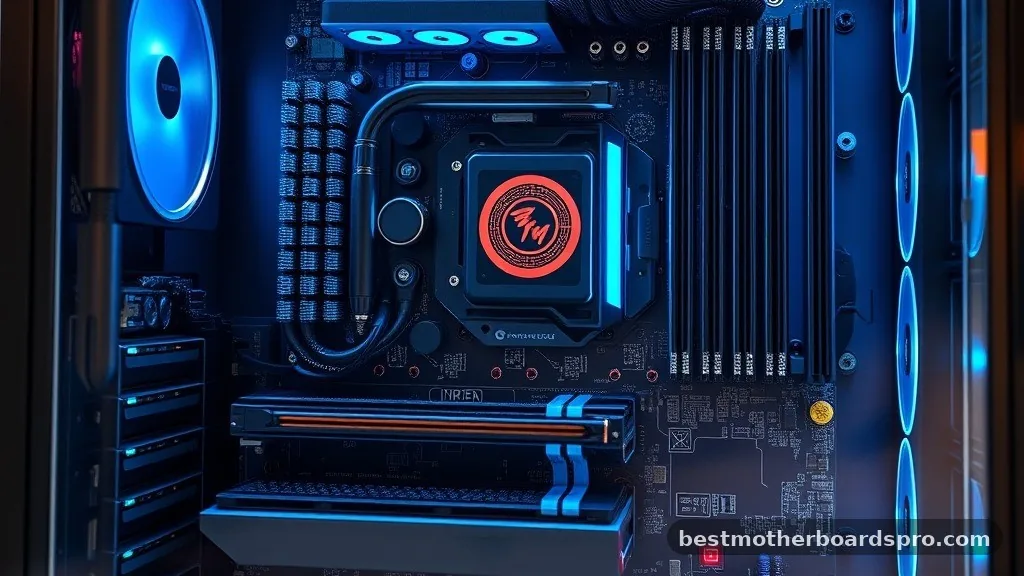
One of the greatest advantages of choosing an ATX motherboard is the sheer amount of room available for expansion slots. If you intend to use multiple graphics cards, high-speed network interface cards, or dedicated sound cards, you need the extra PCIe lanes and physical space that this form factor provides. Smaller boards often force you to sacrifice one component for another, whereas a full-size ATX board gives you the breathing room to expand.
- Ample space for large, high-end air coolers or AIO liquid cooling blocks.
- Support for four or more DDR memory slots, allowing for massive RAM upgrades.
- Additional headers for internal USB ports, fan controls, and RGB lighting strips.
- Enhanced thermal management due to the wider spacing between high-heat components.
- Superior compatibility with a vast range of high-performance CPU sockets from both Intel and AMD.
Because the board is larger, engineers have more surface area to work with when laying out the power delivery components. This often results in more robust voltage regulator modules, which can lead to better stability when overclocking your processor. When you push your system to its limits, having a well-designed power delivery system is just as important as the CPU itself.
Addressing Topical Gaps: Why Size Matters
A common misconception is that a bigger board automatically equals better performance. While an ATX board offers more slots, the raw speed of your processor or memory is dictated by the chipset and the CPU architecture itself.
The board is merely the bridge that connects these parts. If you are building a basic office computer, the extra slots on an ATX board might go completely unused, meaning you are paying for space you don’t actually need.
However, the gap between a standard ATX board and smaller variants like MicroATX becomes apparent when you consider long-term maintenance. In a cramped case, swapping out a RAM stick or reaching a SATA port can be a nightmare.
The open layout of the ATX standard makes it much easier to perform upgrades or replace faulty parts without having to dismantle the entire system. It is also worth noting that the structural integrity of a large board is higher, as it has more points of contact with the case, reducing the risk of board flex when installing heavy graphics cards.
Compatibility with Cases and Power Supplies
When you decide on an ATX motherboard, you must ensure your case is specifically listed as “ATX compatible.” Most mid-tower cases are designed to accommodate this size, but smaller form factor cases—such as those designed for ITX boards—will be too small. Always check the case specifications for support for full-size ATX boards.
The power supply is another critical factor. While the 24-pin connector is standard, you must ensure your power supply has enough wattage to handle the components you plan to install.
Because ATX boards allow for more expansion, people often end up adding more components over time, which increases the total power draw. Planning your power needs upfront prevents the need to replace your power supply later when you decide to add an extra drive or a more powerful GPU.
Common Questions Regarding ATX Hardware
What does ATX actually stand for?
ATX stands for Advanced Technology eXtended. It was developed by Intel to improve upon the previous AT design. By rearranging the components, it allowed for better airflow and easier access to the RAM and CPU, which eventually became the industry standard for desktop computers worldwide.
Is an ATX motherboard always better than MicroATX?
Not necessarily. “Better” depends on your specific needs.
If you require many expansion cards and extra storage, ATX is superior. However, if you are building a compact system with only one graphics card, a MicroATX board can provide identical performance in a smaller, more space-efficient package.
Can I put an ATX motherboard in a smaller case?
Generally, no. You cannot fit a full-size ATX board into a case designed exclusively for smaller form factors like MicroATX or Mini-ITX. The physical dimensions of the board and the alignment of the mounting holes will not match, leading to a build that is impossible to assemble safely.
Do I need an ATX board for gaming?
You do not strictly need one, but it is often recommended. Gaming rigs often use large, power-hungry graphics cards and complex cooling solutions. The extra space on an ATX board provides better thermal management and more PCIe slots, making it easier to manage your hardware components and future upgrades.
Final Thoughts on Motherboard Selection
Selecting the right foundation for your PC is a balance between your current requirements and your future goals. An ATX motherboard remains the most popular choice for a reason: it offers the perfect mix of expandability, cooling potential, and structural reliability. By understanding how this form factor interacts with your CPU, power supply, and case, you can build a system that is not only powerful but also easy to maintain and upgrade.
Take the time to verify your component dimensions before you start your assembly. Checking the mounting points and ensuring your case has enough width to accommodate your chosen board will save you significant time during the build process.
Once your system is up and running, you will appreciate the flexibility that the ATX standard provides as your computing needs evolve. If you are ready to start your next build, simply match your processor to a compatible chipset and enjoy the process of creating a machine tailored exactly to your specifications.
