

Deciding how much should I spend on a motherboard often feels like a balancing act between future-proofing your rig and keeping your bank account intact. It is easy to get distracted by flashy RGB lighting or expensive heatsinks that promise performance gains you might never actually see in practice. Instead of chasing the most expensive board on the shelf, you need to focus on the specific features that support your CPU and your storage needs.
Getting the right foundation ensures that your processor runs stably and your peripherals communicate without bottlenecks. By understanding the core components that dictate price, you can prioritize spending where it truly impacts your daily experience.
Understanding Motherboard Tiers and Pricing

Motherboard pricing generally follows a tiered structure based on the chipset and the quality of onboard components. Entry-level boards often prioritize basic functionality, while enthusiast-grade hardware includes robust power delivery systems designed for extreme stability.
The chipset acts as the primary brain of the motherboard, defining which processors it supports and how many high-speed lanes are available for your components. Intel LGA and AMD AM5 sockets dictate your CPU choice, and these platforms are rarely interchangeable. When you look at the price, you are essentially paying for the complexity of the board’s design, the thermal management solutions, and the connectivity options.
Budget Motherboard Considerations
A budget motherboard typically serves users who are building a standard office PC or a entry-level gaming machine. These boards usually come in a micro-ATX or ATX form factor and provide just enough RAM slots and M.2 NVMe slots for a single high-speed drive. While they lack advanced features like pre-installed I/O shields or excessive VRM cooling, they are perfectly functional for stock settings. If you do not plan on upgrading your CPU in the future or overclocking, these boards offer the best value for your money.
Mid-Range and Enthusiast Motherboard Features
Moving up to the mid-range or enthusiast category, you start seeing significant upgrades in build quality. Manufacturers include better VRM cooling, which is essential if you intend to push your processor to its limits. You will also find more PCIe lanes, which allow for multiple high-speed expansion cards, and additional headers for custom cooling loops. Enthusiast boards often feature BIOS flashback buttons, allowing you to update your firmware without even needing a CPU installed, which is a massive convenience for new platform launches.
The Role of Power Delivery and VRM Cooling
Power delivery is perhaps the most critical technical aspect of a motherboard. The voltage regulator module, or VRM, converts electricity from your power supply into a stable current that your CPU can actually use. If you are running a high-end processor, a weak VRM can cause the system to throttle or shut down under heavy load.
When you investigate how much should I spend on a motherboard, consider the thermal management around these power phases. A board with decent heatsinks over the VRM components will maintain system stability during long gaming sessions or heavy rendering tasks. Cheap, uncooled VRMs are fine for low-power chips, but they become a liability when paired with power-hungry enthusiast CPUs.
Connectivity and Expansion Options
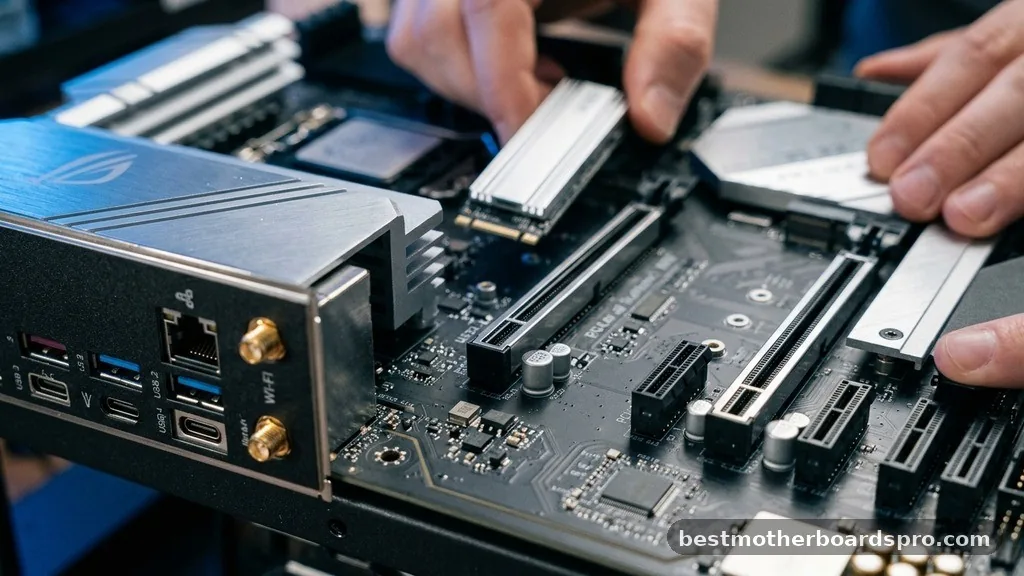
Connectivity options define how many devices you can attach to your system. A modern build should ideally have at least two M.2 NVMe slots to take advantage of fast storage speeds. You should also check the number of SATA ports if you plan on using multiple hard drives for bulk storage.
Integrated Wi-Fi is another feature that adds to the cost but saves you from needing a separate PCIe expansion card. Look for the standard of the Wi-Fi chip; Wi-Fi 6E or 7 will provide much better latency and speed than older generations. Additionally, check the back panel for a sufficient number of USB ports, especially if you use many peripherals like high-end mice, keyboards, or external audio interfaces.
| Category | Typical Price Range | Best For |
|---|---|---|
| Entry-Level | $80 – $130 | Office work, basic gaming, non-overclockers |
| Mid-Range | $150 – $250 | Gaming enthusiasts, content creators, moderate overclocking |
| Enthusiast | $300+ | Extreme overclocking, workstation needs, niche connectivity |
Addressing Common Topical Gaps
Many users wonder if spending more on a motherboard actually increases frame rates in games. The honest answer is that a more expensive motherboard does not directly increase your FPS unless your current board is overheating or throttling your CPU. The primary benefit of a premium board is longevity and the ability to handle future upgrades.
Another common misconception is that the most expensive board is always the most reliable. In reality, sometimes mid-range boards are more stable because they have fewer complex features that can fail or cause conflicts. If you are worried about system stability, look for boards with a strong reputation for BIOS support rather than just the one with the most gold-plated heat spreaders.
- Check the CPU socket compatibility before buying anything else.
- Ensure the ATX form factor fits your specific PC case.
- Verify the number of RAM slots if you plan to upgrade memory later.
- Confirm that the board has the necessary headers for your case fans and RGB lighting.
- Prioritize boards with a BIOS flashback feature for easier maintenance.
Frequently Asked Questions
Is it worth spending more money on a motherboard?
It is worth spending more if you need specific features like additional M.2 slots, superior VRM cooling for heavy workloads, or advanced connectivity like high-speed Wi-Fi. However, if you are building a basic PC, a mid-range board will provide the same performance as a flagship model.
What is the most important feature to look for in a motherboard?
The most important feature is the chipset compatibility with your chosen CPU. Beyond that, prioritize adequate VRM cooling and enough expansion slots for your storage and peripheral needs. These factors directly influence how long your system remains stable and capable of handling future hardware upgrades.
Do expensive motherboards make gaming faster?
Expensive motherboards do not directly increase gaming performance. They provide better power delivery, more connectivity, and better thermal management, which helps your CPU and GPU run at their peak potential without throttling. You are paying for features and build quality, not for raw frame rate increases.
How much does a motherboard usually cost?
Most standard consumer motherboards range from $100 to $250. You can find functional budget boards for less than $100, while specialized enthusiast boards for extreme overclocking or professional workstations can easily exceed $400. Choose based on your CPU and the specific ports you require.
Final Thoughts on Your Purchase
Determining how much should I spend on a motherboard involves weighing your current hardware needs against your future expansion plans. If you are building a budget-friendly rig, put your money toward a better GPU or more RAM instead of an overpriced motherboard. However, if you are pairing a high-end CPU with a premium cooling setup, don’t skimp on the foundation.
A robust board with good power delivery is a smart investment that keeps your system running reliably for years. Take the time to verify your connectivity needs—like M.2 slots and internal headers—to ensure your build comes together without needing extra adapters. Once you have your specs aligned, you can confidently pick a board that supports your performance goals without overspending on unnecessary extras.



