


When you are building a new computer, deciding whether to include a wireless network adapter directly on the main board is one of the first big choices you will make. People often ask what a wifi motherboard is because it seems like a simple feature, but it actually represents a significant shift in how components are integrated into modern systems.
Essentially, these boards come with built-in networking hardware that removes the need for extra expansion cards or external USB dongles. Understanding how this tech fits into your specific build—whether you are aiming for a high-end gaming rig or a sleek office workstation—will save you time, money, and messy cable management later on.
Defining the Integrated Wireless Experience
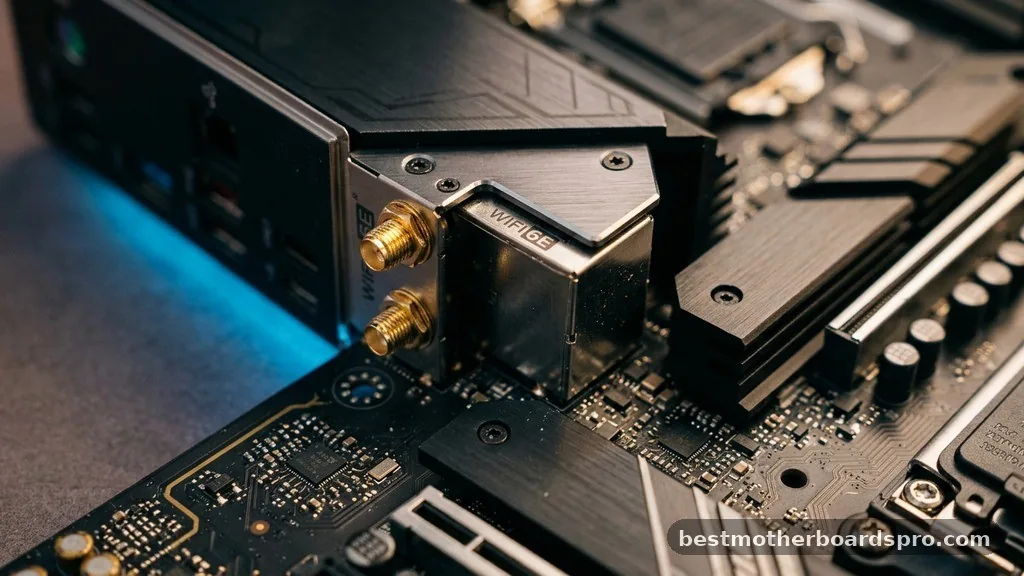
At its core, a board with built-in wireless capabilities functions just like any other, but with a pre-installed M.2 network module tucked away near the rear I/O panel. Manufacturers like Asus and MSI solder or screw these modules directly onto the circuit board during production. This is not just a simple chip; it is a full-fledged network controller that handles both your internet connection and usually your wi-fi bluetooth signals simultaneously.
Because the antenna connectors are integrated into the back of the board, you get a much cleaner aesthetic than you would with a bulky antenna sticking out of a PCIe slot. You simply screw the external antennae onto the provided terminals, and you are ready to connect to your router. This integration is highly efficient, as it frees up your expansion slots for other hardware like sound cards or high-speed storage controllers.
Comparing Built-in Wireless vs. Expansion Cards
Many builders wonder if they should buy a board that includes these features or just add them later. There are distinct pros and cons to both approaches. If you choose a board with the feature pre-installed, you are getting a solution that is factory-tested for stability within that specific layout.
| Feature | Built-in Wireless | PCIe Expansion Card |
|---|---|---|
| Installation | Pre-installed | Manual installation |
| Port Usage | Consumes zero slots | Occupies a PCIe slot |
| Aesthetics | Clean, rear-panel ports | Visible card inside case |
| Upgradability | Limited/Difficult | Very easy to swap |
When you opt for an expansion card, you have the advantage of being able to upgrade to newer standards—like moving from Wi-Fi 6 to Wi-Fi 7—without replacing your entire system. However, for most users, the integrated version is more than sufficient and provides a much more streamlined building experience.
Performance Factors for Modern Builds
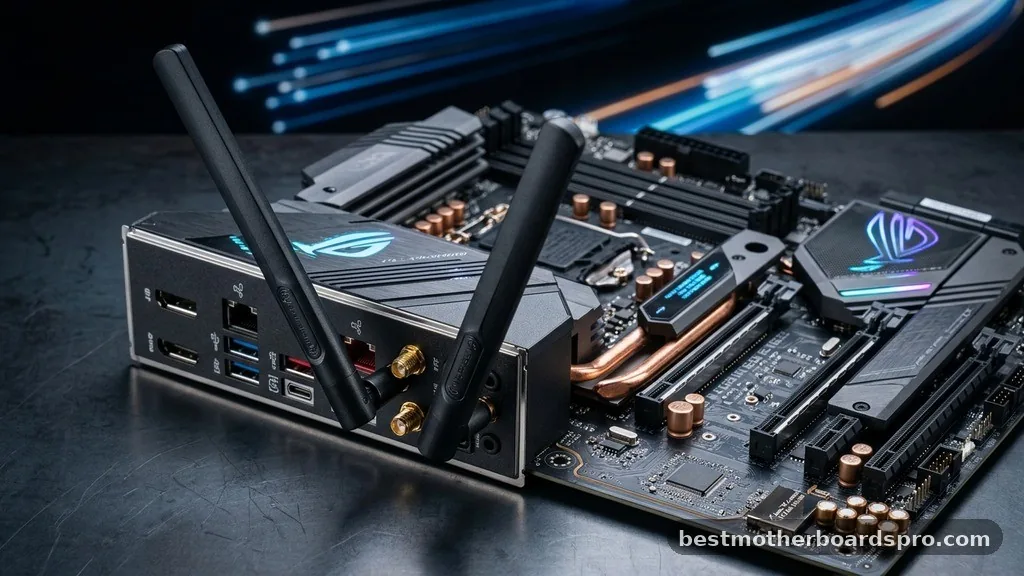
The performance of your connection depends heavily on the chipset used by the manufacturer. High-end boards, especially those designed for AMD Ryzen processors or the latest Intel platforms, typically feature the newest wireless standards. These boards are designed to handle high-bandwidth tasks like gaming, 4K streaming, and large file transfers without the latency spikes that plagued older wireless tech.
- Low latency for competitive online gaming sessions.
- Combined wireless and bluetooth modules for peripheral connectivity.
- Efficient power management that doesn’t tax the SATA or power headers.
- Compatibility with the latest routers supporting multi-gigabit speeds.
- Robust driver support from major manufacturers like Pro series lineups.
If you are using a Ryzen series processor, you will often find that high-quality boards offer better signal shielding. This is crucial because internal components generate a lot of electrical noise that can interfere with wireless signals. Premium boards use better isolation layers to ensure your connection remains stable even when the GPU is under heavy load.
Identifying Your Specific Needs
Not every user requires wireless connectivity on their main board. If your PC is permanently stationed next to your router, a wired Ethernet connection will always be superior in terms of speed and stability. However, if your setup is in a different room, or if you simply prefer the flexibility of moving your desk, having the feature built-in is a massive convenience.
Think about your future upgrade path as well. If you are building a budget-focused rig, you might save money by buying a standard board and adding a cheap USB adapter later.
But for a primary machine, an ATX motherboard with wireless pre-installed is usually worth the small premium in price. It prevents the need to troubleshoot driver conflicts that often arise with third-party USB dongles, which can be notorious for overheating and disconnecting during long sessions.
Technical Considerations for System Builders
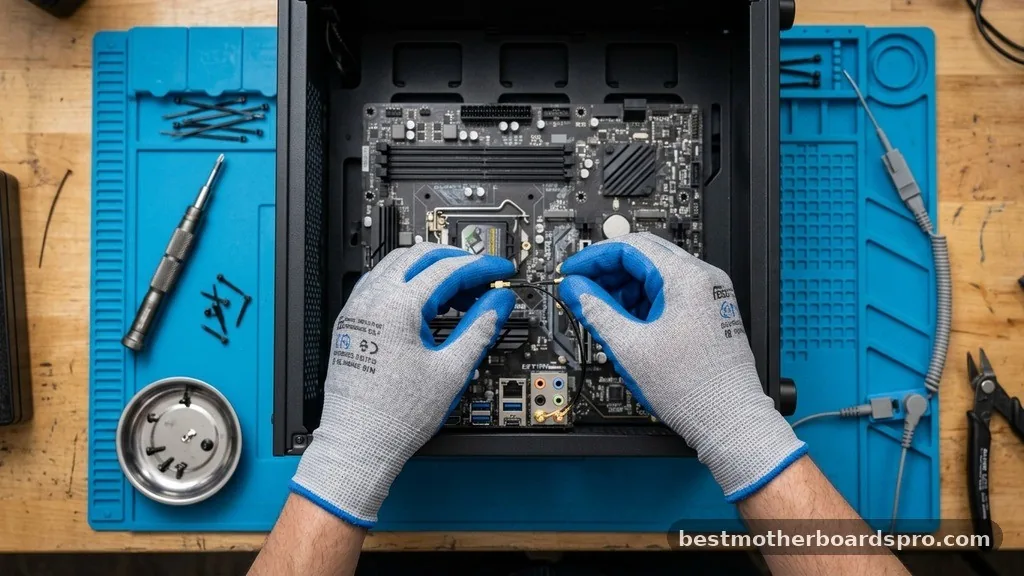
When selecting your parts, look closely at the specs regarding the slots and the generation of the wireless module. Even if a board says it is “wireless ready,” it might not come with the actual M.2 card installed. Always verify if the antennae are included in the box, as these are proprietary and difficult to replace if lost.
Furthermore, consider the RGB lighting and aesthetic profile of your build. Some manufacturers integrate the wireless antennae housing into the rear I/O shield, which looks fantastic but limits your ability to move the antennae to a better position. If your PC is tucked under a metal desk or in a corner, having external, movable antennae—often included with higher-end boards—can significantly improve your signal strength.
Addressing Common Misconceptions
There is a persistent myth that built-in wireless hardware is slower than external options. In reality, the opposite is often true. Because the integrated solution uses the M.2 interface, it has a direct, high-speed line to the CPU, whereas some budget USB adapters are limited by the bandwidth of the USB port they occupy.
Another point of confusion involves the difference between “wireless” and “Bluetooth.” They are almost always on the same chip.
If you see a board advertised with wireless capabilities, it almost certainly includes Bluetooth as well. This is a huge bonus if you use wireless controllers, headphones, or mice, as it saves you from needing to buy a separate Bluetooth adapter that would eat up another port.
FAQ
Is a wifi motherboard necessary for gaming?
It is not strictly necessary if you can use a wired Ethernet cable, which is preferred for the lowest latency. However, for gamers who cannot run a cable to their router, a board with high-quality built-in wireless is the most reliable and stable option available today.
Can I upgrade the wireless card on my motherboard later?
Yes, most boards with built-in wireless use a standard M.2 E-key slot for the network module. You can open the system, remove the existing card, and replace it with a newer model, provided your operating system supports the new drivers and the antennae connectors remain compatible.
Does a motherboard with built-in wireless affect my PC speed?
No, the wireless module operates independently of your CPU and RAM performance. It does not take away from your processing power. As long as your internet service provider delivers the speed, your integrated wireless hardware will handle the data transmission without bottlenecking your system’s overall performance.
What is the difference between a wifi motherboard and a regular one?
The only functional difference is the inclusion of a pre-installed M.2 wireless card and the necessary antenna ports on the rear I/O panel. A regular board lacks these components, meaning you would need to add a PCIe card or a USB adapter to achieve the same connectivity.
Final Thoughts
Choosing the right foundation for your PC build involves balancing your immediate needs with the long-term utility of your hardware. Whether you prioritize a clean, cable-free desk or simply want the convenience of plug-and-play networking, opting for a board with integrated wireless connectivity is a smart move for most modern users. By selecting a high-quality model from a reputable manufacturer, you ensure that your system stays connected reliably for years to come.
Remember to check the specific Gen of the wireless standard included, as this will dictate how well your PC handles future network upgrades. Once you have your parts picked out, take your time during the assembly process to ensure the antenna leads are securely attached. With the right hardware, you will find that a wifi motherboard offers a seamless and powerful experience that keeps your digital life moving at full speed.



