

Deciding whether you need a system that supports error-correcting code memory often comes down to the specific nature of your workload. When you ask what is ecc motherboard hardware, you are essentially inquiring about a platform designed for stability rather than just raw speed.
These boards act as the foundation for workstations and servers where a single flipped bit could lead to catastrophic data loss or system instability. Understanding the relationship between your processor, your memory modules, and the motherboard itself is the first step in building a machine that prioritizes reliability above all else.
The Core Function of ECC Memory Integration
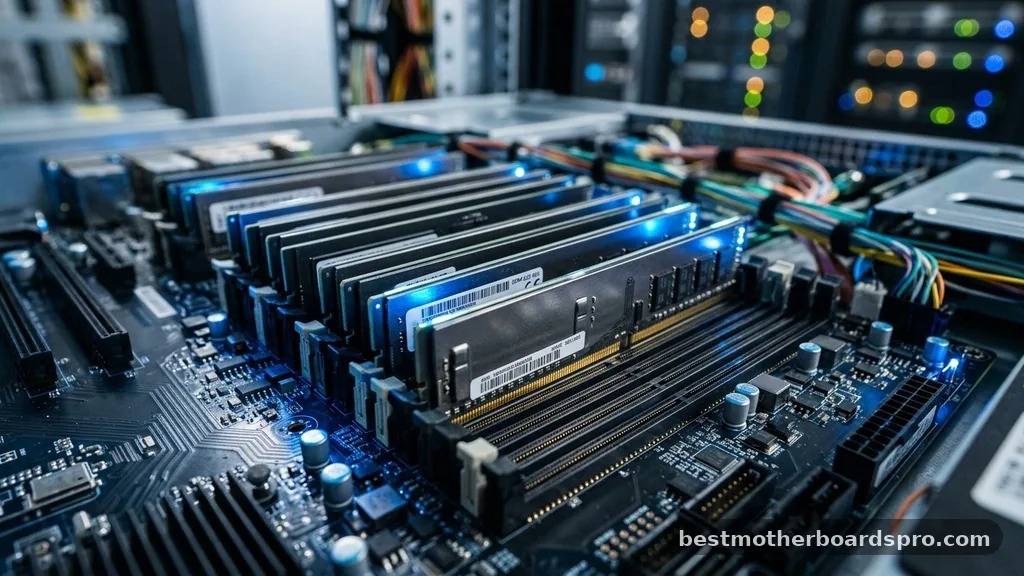
At its simplest level, an ECC-capable motherboard is engineered to communicate with memory modules that contain an extra chip. This additional chip stores parity data, which allows the system to identify and resolve single-bit errors in real-time. In standard consumer hardware, these transient errors—often caused by cosmic rays or electromagnetic interference—go unnoticed, potentially corrupting files or causing a sudden crash.
The motherboard plays a critical role here because it houses the memory controller. If the CPU and the motherboard chipset do not explicitly support ECC signaling, the extra bits on the RAM stick remain dormant.
You effectively lose the protective benefit of the hardware, even if the modules themselves are capable of error correction. This is why you cannot simply plug ECC RAM into a standard gaming board and expect it to work; the logic pathways must be physically and electrically designed to handle the specific handshake required by error-correcting memory.
Technical Differences Between ECC and Non-ECC Platforms
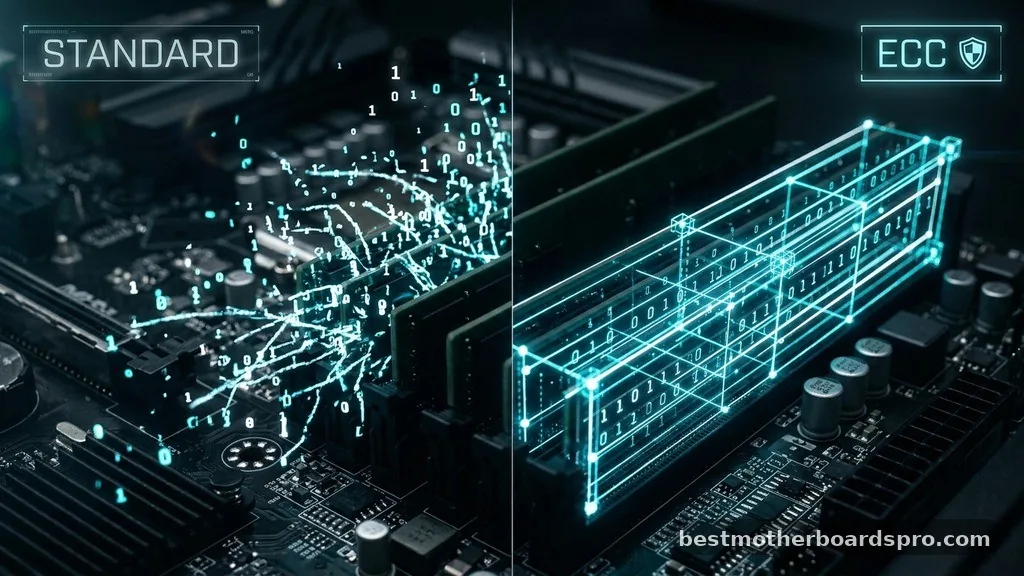
The primary distinction between a standard setup and an ECC-supported environment lies in how the system handles integrity. Non-ECC systems assume the data written to the sticks is always correct. If a bit flips due to heat or electrical noise, the system processes that corrupted data as if it were valid.
In an environment using ECC, the system performs a mathematical check every time data is read from or written to the memory modules. If the system detects a discrepancy, it can fix single-bit errors on the fly without the user ever knowing an issue occurred. For multi-bit errors, the board will typically trigger a system halt to prevent the corruption from spreading to your storage drive.
| Feature | Standard (Non-ECC) System | ECC-Enabled System |
|---|---|---|
| Error Detection | None | Yes (Single and Multi-bit) |
| Error Correction | None | Yes (Single-bit) |
| Primary Use Case | Gaming, Browsing, Media | Workstations, Servers, Research |
| Hardware Cost | Lower | Higher (Premium) |
Hardware Requirements for ECC Support
Achieving true error correction requires a “triad” of compatibility. You need a CPU that supports the feature, a motherboard that has the necessary trace routing, and the memory modules themselves. Many users mistakenly believe that buying server-grade RAM is enough, but without a motherboard that supports it, the system will either fail to boot or run the memory in standard, unprotected mode.
- Processor Support: Most consumer-grade CPUs have the ECC feature disabled in firmware, even if the silicon is physically capable.
- Motherboard Trace Routing: The physical layout of the board must include the extra lanes required for the ninth bit per byte.
- BIOS/UEFI Implementation: The motherboard firmware must be programmed to initialize and monitor the ECC functionality during the POST process.
- Memory Module Compliance: You must use registered or unbuffered ECC DIMMs that match the specific requirements of your chipset.
Addressing Common Misconceptions
A persistent myth in the PC building community is that ECC memory is inherently slower than standard RAM. While there is a microscopic latency penalty due to the error-checking logic, the impact on real-world performance is usually negligible. For most professional applications, the trade-off—a fraction of a percent in speed for a massive gain in uptime—is an easy decision.
Another misconception is that ECC is only for massive enterprise servers. In reality, modern content creators, financial analysts, and software developers are increasingly adopting these platforms.
If you are rendering a 3D scene for 48 hours, the last thing you want is a random bit flip to crash the application at the 47th hour. The cost of a few “errors” in your workflow is far higher than the price of a compatible motherboard.
Identifying ECC Compatibility in Your Current Setup
If you are trying to determine if your current machine supports these modules, the best place to start is the motherboard manufacturer’s technical specifications page. Look specifically for “ECC Support” or “Unbuffered ECC” in the memory section. Be aware that some boards support ECC memory but run it in non-ECC mode; this is a common trap for builders.
You can often verify the status of your memory through command-line tools in your operating system. For example, in Linux, the dmidecode command will tell you exactly what type of memory is installed and whether the error correction feature is currently active. If the system reports that correction is enabled, your motherboard and CPU are successfully managing the error-checking tasks.
Why Reliability Matters More Than Speed
When you look at the total cost of ownership, the value of an ECC-capable motherboard becomes clear. Replacing a crashed drive or recovering corrupted databases can cost hundreds of hours in labor. By preventing silent data corruption, you are essentially buying insurance for your data.
This is particularly relevant for those dealing with long-term storage or high-intensity computational tasks. The extra bits on the memory modules act as a guardian for your data, constantly scanning for anomalies. While a gaming machine might prioritize high clock speeds and low latency, a workstation motherboard prioritizes the integrity of the data stream.
FAQ: Understanding Error Correction in Modern Hardware
Does ECC RAM make my computer slower?
The performance impact of ECC memory is generally imperceptible for most applications. While the memory controller performs an extra check on every data transaction, this happens at the hardware level in nanoseconds. For almost any professional or creative workflow, the stability benefits far outweigh the minor theoretical latency.
Can I use ECC memory on any motherboard?
No, you cannot use ECC memory on standard consumer motherboards. The motherboard must be specifically designed with the necessary electrical traces and BIOS support to handle the parity bits. If you plug ECC RAM into an incompatible board, it will usually fail to boot or operate without error correction.
How can I tell if my system is currently using ECC?
You can check your system’s memory status using diagnostic software like CPU-Z or terminal commands like dmidecode. These tools will report whether your memory modules are ECC-capable and, more importantly, whether the motherboard and memory controller are actively utilizing the error correction features during operation.
Is ECC necessary for home office or gaming PCs?
For standard gaming or general office work, ECC is typically overkill. Modern non-ECC RAM is incredibly reliable, and the chance of a bit flip causing a noticeable error in those applications is statistically tiny. ECC is intended for environments where data integrity is mission-critical, such as professional workstations or servers.
Choosing the Right Platform for Your Needs
Selecting a motherboard with ECC support is a deliberate choice to prioritize system stability over raw overclocking potential. If your primary goal is to minimize downtime and prevent silent data corruption, investing in a platform that supports this technology is a logical step. Always verify your CPU’s memory controller specifications alongside your motherboard choice to ensure the features are fully enabled.
As you look toward your next build, consider whether your data is sensitive enough to warrant the extra investment. Whether you are running a home server, performing scientific simulations, or managing complex databases, the peace of mind provided by an ECC-capable system is often worth the premium. By taking the time to understand your hardware requirements, you can build a stable, reliable, and high-performing machine tailored to your exact professional needs.



