

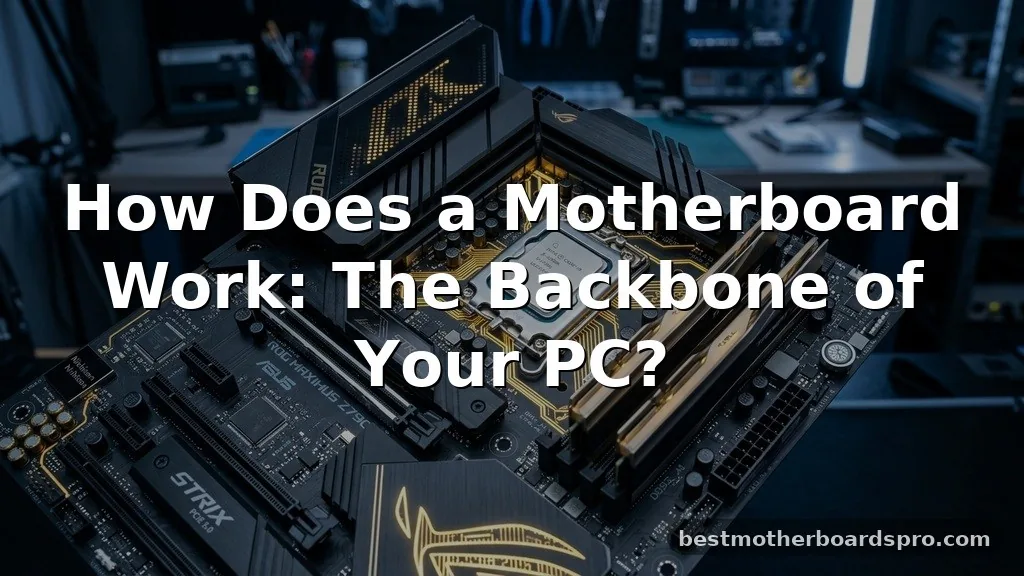
When you press the power button on your computer, a complex symphony of electrical signals begins to travel across a piece of hardware you might take for granted. Understanding how does a motherboard work provides a window into the digital architecture that keeps your modern life running, whether you are gaming, working, or simply browsing the web.
It serves as the central nervous system for your machine, connecting every piece of hardware so they can communicate in real-time. By grasping the basic interplay between the processor, memory, and various expansion slots, you gain a clearer picture of why your device functions the way it does.
The Foundation of Computing

The motherboard is the primary printed circuit board found in most modern computers. It acts as the central hub that connects all vital components, including the central processing unit (CPU), memory (RAM), and storage drives. Without this board, these individual parts would be isolated, unable to share the data necessary to perform even the simplest tasks.
Think of it as a city’s road network. Just as roads allow cars to travel between homes, businesses, and public services, the etched copper pathways on a circuit board allow electrical signals to travel between your hardware. These pathways, known as traces, carry data at incredible speeds, ensuring that every command you type or click you make is processed instantly.
The Role of the Chipset
If the motherboard is the city’s road network, the chipset is the traffic control system. It is a set of electronic components integrated into the board that manages the flow of data between the processor, memory, and peripheral devices. This is the logic center that dictates how fast and effectively your system can handle information.
Modern boards typically use two main chips: the Northbridge and the Southbridge, though many newer designs consolidate these into a single high-efficiency controller. The Northbridge traditionally handles high-speed communication between the CPU and memory, while the Southbridge manages slower devices like USB ports, audio controllers, and storage drives.
Connecting the CPU and Memory
The relationship between the CPU and the system memory is the most critical link on your motherboard. The CPU acts as the brain, executing instructions and performing calculations, while the memory acts as a high-speed workspace where data is kept ready for the brain to use.
When you open an application, the motherboard facilitates the transfer of data from your storage drive into the RAM. The CPU then accesses this data, processes it, and sends the results back through the motherboard to your display or storage. This constant exchange happens millions of times per second, relying on the precision of the board’s electrical architecture to maintain signal integrity.
Expansion Slots and Customization
One of the greatest advantages of a desktop computer is its modular nature. Motherboards are designed with various slots that allow you to add new features or upgrade existing ones. The most common of these is the PCIe (Peripheral Component Interconnect Express) slot.
These slots are primarily used for graphics cards, network adapters, and high-speed storage solutions. By plugging a component into a PCIe slot, you are giving it a direct line to the chipset and the CPU. This level of connectivity is why enthusiasts can build machines that are significantly more powerful than the ones they started with.
| Component Type | Primary Function | Connection Method |
|---|---|---|
| CPU | Data processing and logic | Socket (LGA/PGA) |
| RAM | Short-term data storage | DIMM Slots |
| GPU | Graphics rendering | PCIe Slots |
| Storage | Long-term data retention | SATA/M.2 Connectors |
Power Distribution and Delivery
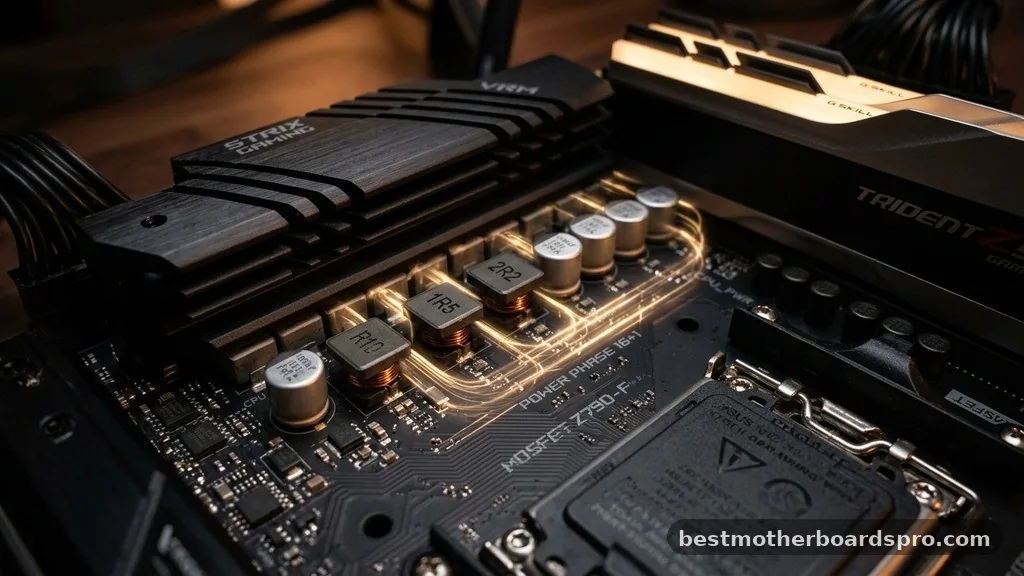
A motherboard doesn’t just manage data; it also acts as a power distribution center. It takes high-voltage electricity from your power supply unit (PSU) and converts it into the specific, lower voltages required by sensitive components. This process is handled by a series of capacitors, coils, and voltage regulator modules (VRMs).
If you are using a high-end processor, the VRMs are particularly important. They must provide a clean and stable stream of power, even when the processor is under a heavy load. A high-quality board will often include heat sinks over these modules to prevent them from overheating during intensive tasks.
The Evolution of Motherboard Design
The history of these boards is a fascinating look at the rapid advancement of technology. From the early days of the IBM PC, where components were often housed on separate cards plugged into a backplane, the industry moved toward integrating more functionality directly onto the main board.
Today, you will find that most boards include built-in audio, networking, and USB controllers. This integration has made computers smaller, faster, and more reliable. However, it also means that if a single integrated component fails, you may have to replace the entire board rather than just a single part.
- Standardized form factors like ATX ensure parts fit across different brands.
- Integrated BIOS/UEFI firmware manages the initial hardware boot process.
- Multi-layer PCB design allows for thousands of complex electrical traces.
- Dedicated headers provide control for case fans and RGB lighting.
- Onboard diagnostic LEDs help users troubleshoot hardware failures quickly.
Addressing Common Misconceptions
Many users believe that the motherboard is responsible for the speed of the computer. While it does facilitate communication, the actual speed is primarily determined by the CPU, the amount of RAM, and the type of storage (such as an SSD). A motherboard’s role is to ensure that these parts are not bottlenecked by poor signal quality or inefficient data routing.
Another misconception is that all boards are created equal. In reality, the quality of the components used on the board, such as the capacitors and the thickness of the copper traces, can significantly impact the long-term reliability of your system. Investing in a reputable brand often means you get better power management and more stable performance over time.
FAQ
How does a motherboard get broken?
Physical damage, such as bent socket pins or cracked circuits, is a common cause of failure. Electrical surges from power supply issues or lightning strikes can also fry sensitive components. Additionally, extreme heat or liquid damage can corrode the board, leading to permanent hardware failure over time.
Why does a PC need a motherboard?
A computer consists of several specialized parts that cannot communicate on their own. The motherboard provides the physical pathways and logical pathways necessary for the CPU, memory, and storage to talk to each other, acting as the essential bridge that turns individual parts into a cohesive system.
What is the average lifespan of a motherboard?
Most motherboards are built to last between five to ten years with normal use. While the board itself rarely wears out, the capacitors can eventually dry up or fail. Often, users replace their boards not because they break, but because they become obsolete for modern software requirements.
How does a motherboard work step by step?
When you power on, the BIOS/UEFI initializes the hardware. It performs a Power-On Self-Test (POST) to ensure components are functional. Once checked, the board facilitates data flow between the CPU and memory, allowing the operating system to load from storage and take control of the hardware resources.
Closing Thoughts
Understanding how does a motherboard work is essential for anyone interested in how their technology functions. It is the silent partner in every computing experience, carefully managing the flow of electricity and data to ensure that your instructions are executed correctly. By respecting the complexity of this component, you can better appreciate the engineering that goes into every modern device.
If you are planning a new build or looking to upgrade your current setup, remember that the board is the foundation upon which your performance is built. Taking the time to choose the right one will pay dividends in stability and longevity for years to come.



