Dealing with a malfunctioning kitchen appliance is frustrating, especially when you are in the middle of preparing a meal. If you are struggling with a frozen screen or unresponsive buttons, figuring out how to reset microwave settings is usually the first step to getting things back in order.
Most modern units are essentially small computers, and just like a PC, they sometimes encounter software glitches or minor electrical hiccups that require a quick reboot. By performing a simple power cycle, you can often clear persistent error codes or restore touchpad responsiveness without needing a professional technician or expensive repair parts.
Understanding the Microwave Reset Process
The most effective way to address a non-responsive unit is through a full power cycle. This process forces the appliance to clear its volatile memory and restart its internal control board. Unlike some devices that feature a dedicated physical reset button, most microwaves rely on a complete disconnection from their power source to initiate this cycle.
To perform this, simply unplug the unit from the wall outlet or flip the corresponding circuit breaker in your home’s electrical panel. Leave the power disconnected for at least 60 seconds to ensure the internal capacitors have enough time to discharge completely.
Once this waiting period is over, restore the power and check if the microwave display returns to its default state. This action frequently clears minor software errors that cause the control panel to freeze or ignore inputs.
When a Hard Reset is Necessary
Not every issue can be solved with a simple reboot. You should consider a more thorough approach if your appliance displays specific warning signs that suggest a deeper hardware fault. If your microwave is showing an error code, emitting a strange sound, or failing to heat despite the fan running, the problem might be mechanical rather than software-related.
Common Signs Your Microwave Needs Attention
* The microwave display shows a persistent error code that remains after a power cycle.
* The interior light is functioning, but the turntable and magnetron are completely silent.
* Buttons on the touchpad provide no audible feedback or visual response when pressed.
* The unit keeps blowing a fuse or tripping the circuit breaker immediately upon starting.
If you notice these symptoms, the issue might involve a faulty door switch, a blown thermal fuse, or a failing control board. While a reset works for software glitches, hardware damage requires physical inspection and potentially the replacement of internal components.
Troubleshooting Differences by Brand
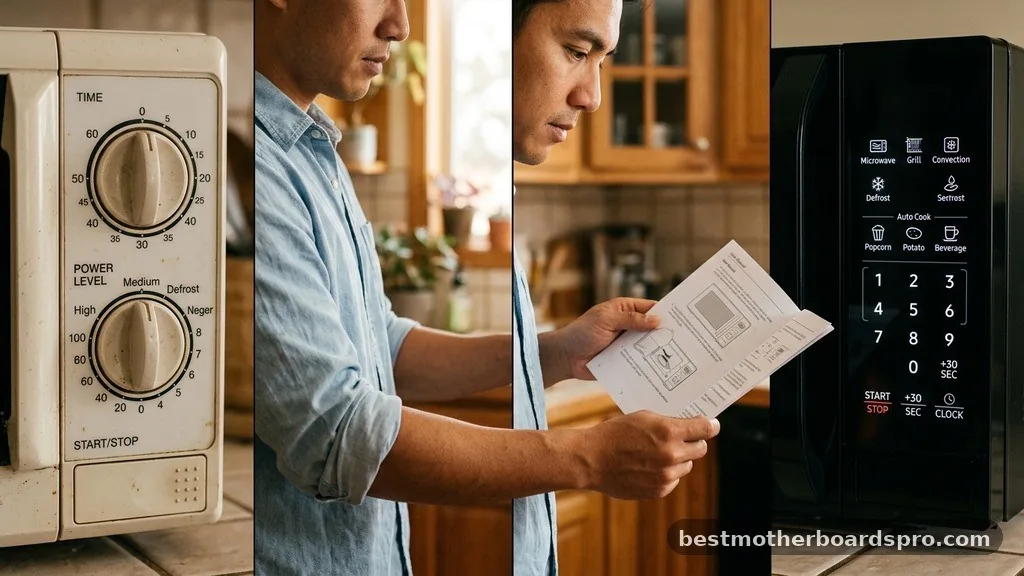
While the core principle of a power cycle remains the same across manufacturers, different brands have specific nuances. For instance, a Samsung microwave might have a distinct sequence for clearing memory, whereas a Whirlpool unit might prioritize a different diagnostic check.
| Brand | Common Reset Strategy | Typical Issue |
|---|---|---|
| Samsung | Hard power cycle; 5-minute wait | Control panel lockouts |
| Whirlpool | Door switch check; hard reset | Intermittent power loss |
| Hamilton Beach | Unplugging; clearing clock | Unresponsive touchpad |
When working with a Hamilton Beach or other budget-friendly models, the internal electronics are often simpler, meaning an unplugging sequence is highly effective. If you own a high-end Samsung microwave, the control board may be more sensitive to a power surge, making the circuit breaker reset particularly important to protect the delicate internal circuitry.
Addressing Electrical and Safety Concerns
Safety is the absolute priority when performing appliance troubleshooting. Microwaves contain high-voltage components, specifically the capacitor, which can hold a dangerous electrical charge even after the unit is unplugged. Never attempt to open the outer casing of your microwave unless you have specific training in handling high-voltage systems.
If you find that your microwave is plugged into a GFCI outlet, check if that outlet has tripped. Sometimes, the issue is not with the microwave itself but with the outlet’s safety mechanism.
If the GFCI keeps tripping, it indicates a ground fault within the appliance that needs professional attention. Attempting to force the appliance to run by bypassing safety features is extremely dangerous and could lead to electrical shocks or fire hazards.
Common Hardware Failures
Sometimes, the reason your unit won’t respond is due to a physical component failure that mimics a software bug. The door switch is a prime example.
If the microwave doesn’t “know” the door is closed, it will refuse to start for safety reasons. This can make it seem like the control panel is broken when the problem is actually just a misaligned latch or a worn-out switch.
Key Components to Consider
- Thermal Fuse: Designed to blow if the unit overheats, permanently cutting power until replaced.
- Door Switch: A safety mechanism that prevents the microwave from running with the door open.
- Control Board: The “brain” of the appliance; if this fails, the unit will likely require a professional repair.
- Internal Fuse: A secondary protection layer that prevents electrical fires during a power surge.
If you have tried the power cycle multiple times and the unit remains unresponsive, it is highly likely that one of these internal components has reached the end of its life. At this point, consulting the user manual or contacting the manufacturer’s support line is the recommended next step.
Frequently Asked Questions
Do all microwaves have a reset button?
No, most microwaves do not have a dedicated reset button. Instead, they rely on a power cycle, which involves unplugging the appliance or flipping the circuit breaker for one minute. This clears the memory and resets the control board, which is sufficient for most software-related glitches and freezing issues.
Why is my microwave display blank even after a reset?
If the display remains blank after a power cycle, the issue is likely a failed internal fuse or a dead control board. Check your home’s circuit breaker first to ensure the outlet has power. If the outlet works but the microwave remains dark, professional repair is likely necessary.
Is it safe to open the microwave to fix the internal fuse?
It is generally not safe for the average homeowner to open the microwave chassis. The high-voltage capacitor can store a lethal electrical charge for days after being unplugged. If you suspect an internal fuse or hardware failure, you should contact a certified appliance technician for a safe repair.
Can a power surge damage my microwave permanently?
Yes, a significant power surge can damage the control board or internal circuitry. If your microwave stopped working immediately after a storm or a power flicker, the surge may have fried sensitive electronic components. In such cases, a simple reset will not fix the damage and hardware replacement is required.
Conclusion
Troubleshooting your kitchen appliances doesn’t have to be an intimidating task. By learning how to reset microwave functions through a simple power cycle, you can often save yourself the time and expense of calling a professional for minor software issues. Always start with the simplest solution—unplugging the unit and waiting for the internal capacitors to discharge—before assuming that a major hardware failure has occurred.
Remember that safety is paramount. If a power cycle does not restore functionality, or if you notice burning smells, popping sounds, or persistent electrical issues, stop using the appliance immediately.
Keeping your microwave in good working order is essential for a smooth kitchen experience, so don’t hesitate to reach out for professional help when the situation exceeds basic troubleshooting steps. By maintaining your unit properly, you ensure it remains a reliable tool in your daily cooking routine.