


If you are currently staring at a pile of high-end components and a bare metal chassis, you might be wondering if the necessary hardware is hidden somewhere in the box. Many builders find themselves asking if motherboard screws come with the case or if they need to source them separately.
The short answer is that almost every modern chassis manufacturer includes a dedicated hardware bag containing everything you need for assembly. You should find these fasteners tucked away in a small plastic bag, often zip-tied to the drive cages or hidden inside one of the included storage bays.
Understanding that these essential bits usually arrive with your chassis can save you a significant amount of stress during a build. While it is rare to find a box completely devoid of mounting hardware, knowing where to look and what to identify is vital for a smooth installation process. This article explores the standard practices of PC case manufacturers, the types of screws you will likely encounter, and what to do if you find your hardware kit missing.
Where Manufacturers Package Mounting Hardware

Most reputable manufacturers prioritize the user experience by including a comprehensive accessory kit with every new unit. When you purchase a chassis, the manufacturer expects you to install a system, so they provide the necessary fasteners as a standard inclusion. You will typically find these items in a sealed plastic bag or a small cardboard box placed in one of the hard drive trays or taped to the interior of the case frame.
If you cannot find the hardware immediately, check the hidden corners of the chassis. Many modern designs utilize modular drive cages that serve as a storage spot for the accessory box during shipping. If the case arrived in a retail box, do not discard the packaging materials immediately, as the small bag of fasteners can easily get stuck in the folds of the cardboard or hidden underneath the foam inserts.
Identifying the Correct Hardware for Your Build
Not all fasteners are created equal, and using the wrong one can damage your components. When you open the accessory kit, you will likely see a variety of screws and standoffs. It is important to distinguish between the different types to ensure you are using the right ones for your specific motherboard installation.
The most critical component in this process is the standoff. A standoff acts as a spacer between the motherboard and the metal backplate of the case, preventing short circuits by ensuring the electrical components on the back of the board do not touch the chassis. You must screw these into the case first, then place the motherboard on top, and finally secure it with the provided screws.
| Component | Typical Thread Type | Purpose |
|---|---|---|
| Motherboard | 6-32 UNC | Securing the board to standoffs |
| Hard Drive (3.5″) | 6-32 UNC | Mounting drives in cages |
| SSD (2.5″) | M3 | Mounting drives to trays |
| Power Supply | 6-32 UNC | Securing the PSU to the frame |
What to Do When Hardware Is Missing
Sometimes, despite a manufacturer’s best efforts, a box might ship without the required hardware kit. If you have thoroughly searched the entire chassis and the shipping materials and still cannot find the fasteners, you are not necessarily out of luck. There are several ways to resolve this issue without returning the entire case.
- Check the manufacturer website for a digital manual to see exactly which screws should have been included.
- Contact the retailer where you bought the case; they often have spare parts or can facilitate a quick exchange.
- Reach out to the manufacturer’s customer support team, as they frequently send out replacement accessory kits for free.
- Visit a local computer repair shop, as they often have buckets of spare screws salvaged from old, retired systems.
- Purchase a generic PC building hardware kit from an online marketplace if you need a solution immediately.
Common Misconceptions About Mounting Hardware
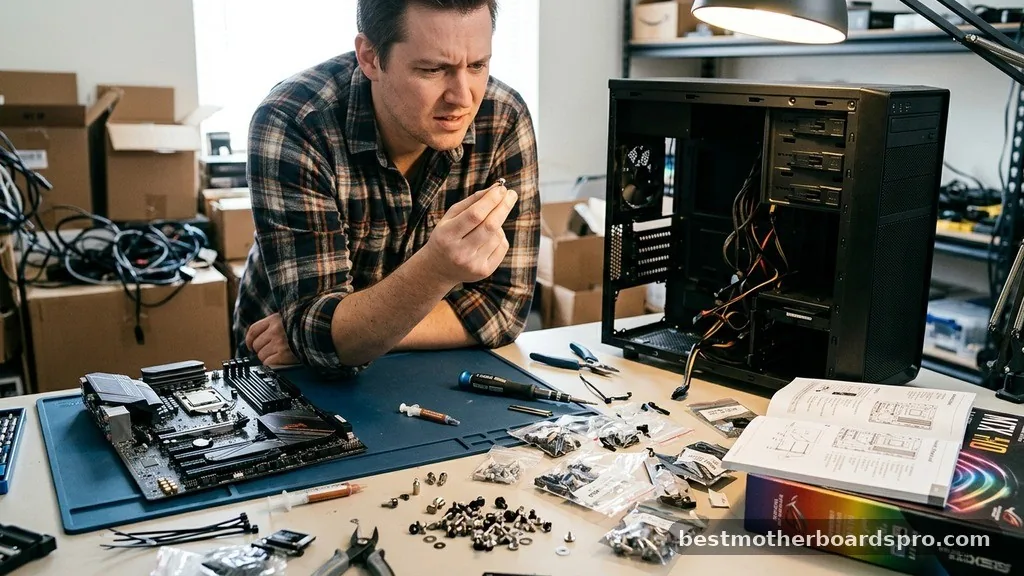
A common point of confusion among new builders is the belief that the motherboard itself comes with the necessary mounting screws. In reality, the motherboard box usually contains only the board, cables, and manuals, while the case manufacturer provides the fasteners required to mount it. This division of labor exists because the case manufacturer knows the specific thread patterns and mounting hole layouts of their own chassis better than anyone else.
Another frequent question involves the reuse of old screws. If you are upgrading your system and moving components to a new chassis, you might be tempted to keep the old fasteners.
However, it is always better to use the new screws provided with the latest case. Different manufacturers use slightly different thread pitches or head styles, and using the wrong hardware can strip the threads on your standoffs or, worse, damage the mounting holes on your expensive motherboard.
Handling Standoffs Correctly
Standoffs are the most frequently mishandled part of the installation. Many builders assume that all standoffs are pre-installed, but this is not always the case. Some manufacturers leave them out to accommodate different motherboard sizes, such as ATX, Micro-ATX, or Mini-ITX.
Before you begin, compare your motherboard’s mounting holes to the pre-installed standoffs in the case. If your board has a hole where a standoff is missing, you must install one from the accessory kit. Conversely, if there is a pre-installed standoff that does not align with your motherboard, you must remove it.
Having an extra standoff behind your motherboard can cause a short circuit, which may prevent your system from booting or even cause permanent hardware damage. Always use a standoff tool or a pair of pliers to ensure they are seated firmly, but do not overtighten them, as you could strip the threads in the chassis.
Addressing Topical Gaps in Hardware Knowledge
While the question of whether screws come with a case is straightforward, many users struggle with the lack of labeling in budget-friendly cases. Premium cases often come with clearly labeled bags, but entry-level options may provide a single bag containing a mix of screws for the PSU, motherboard, and drives. This can be intimidating for a first-time builder who is unsure which screw is which.
If you find yourself with an unlabeled pile of hardware, use a simple sorting method. Group the screws by head type and thread length. Generally, motherboard and PSU screws share the same 6-32 thread, while SSD screws utilize a finer M3 thread.
If a screw does not thread into the standoff smoothly with just your fingers, stop immediately. Never force a screw into the motherboard hole; if it feels tight, it is likely the wrong thread type.
Frequently Asked Questions
Do I need to buy extra screws for my motherboard?
In most cases, you do not need to buy extra screws. Every new PC case includes a comprehensive hardware kit containing the necessary fasteners. If you are building a system from parts salvaged from old computers, you might need to purchase a generic mounting kit from an online retailer.
Are all motherboard screws the same size?
Most motherboards use standard 6-32 UNC screws for mounting to the standoffs. However, the standoffs themselves can vary in height, and some proprietary cases use unique fasteners. Always use the screws provided in the accessory kit that came specifically with your PC case to ensure a perfect fit.
What should I do if my case is missing the hardware bag?
If you cannot find the hardware bag, thoroughly check all drive bays, the bottom of the shipping box, and the corners of the packaging foam. If it is genuinely missing, contact the manufacturer’s support line or the retailer; they are usually happy to send a replacement kit quickly.
Can I use screws from an old case?
You can sometimes reuse screws, but it is not recommended if you have the new ones. Different cases use different thread types and head shapes. Using mismatched hardware can lead to stripped threads or improper grounding, which might cause instability or damage to your sensitive computer components.
Conclusion
Securing your components properly is the foundation of a reliable computer build. While it is a common concern whether motherboard screws come with a case, the industry standard is that manufacturers include everything required for a successful installation. By taking a moment to locate the accessory bag and verifying that you are using the correct thread types for your standoffs, you can avoid common pitfalls like stripped threads or electrical shorts.
If you ever find yourself missing a piece of hardware, remember that most support teams are helpful and eager to assist with replacements. Building a PC is a rewarding project, and having the right hardware on hand ensures that the process remains enjoyable. Once you have everything sorted and installed, you can move forward with confidence, knowing your motherboard is securely and safely mounted within the chassis.



