


Seeing a sudden glow inside your PC case can be alarming, especially when you are simply trying to start your day or jump into a gaming session. If you notice why there is a white light on my motherboard, it is usually the system’s way of communicating a specific status or error code during the boot sequence. Modern boards use these LEDs to perform a Power-On Self-Test, often referred to as POST.
By identifying which component the light is flagging, you can quickly narrow down the source of the trouble. This article breaks down what these signals mean and how you can resolve the underlying hardware issues.
Interpreting Q-LED Diagnostic Indicators
Most modern motherboards, particularly those from manufacturers like ASUS, MSI, and Gigabyte, feature a set of onboard diagnostic LEDs. These are small lights labeled near the edge of the board, typically marked as CPU, DRAM, VGA, and BOOT.
When you see a white light, it is frequently associated with the VGA (Video Graphics Array) component. This suggests the system is having trouble initializing your graphics card or detecting a display output.
Understanding the sequence of these lights is vital for troubleshooting. During a normal boot, the lights will cycle through each component—CPU, DRAM, VGA, and BOOT—before turning off once the operating system loads.
If the white light remains illuminated, the motherboard has successfully passed the CPU and memory checks but has stalled at the graphics stage. This indicates that the board is unable to communicate with your GPU or that the monitor is not receiving a signal.
Common Causes for a White VGA Light
When the white light stays lit, it points toward a communication breakdown between the motherboard and the graphics card. This doesn’t always mean your GPU is dead, though that is a possibility. More often, the issue is related to simple connection errors or power delivery.
- Loose power cables connected to the graphics card.
- The GPU is not fully seated in the PCIe slot.
- The BIOS needs an update to support newer hardware.
- The display cable is plugged into the motherboard instead of the GPU.
- The monitor is set to the wrong input source.
Checking these items systematically will resolve the vast majority of cases. Start with the simplest fix, which is ensuring your HDMI or DisplayPort cable is connected directly to the graphics card’s output port rather than the motherboard’s integrated graphics port. If you are using a CPU without integrated graphics, the motherboard will often trigger a VGA error because it cannot find a display output.
Troubleshooting Steps for Graphics Issues
If you have confirmed your cables are in the right place and the white light persists, it is time to perform a physical inspection of the components. Power down the system completely and flip the switch on your power supply unit to the off position.
Reseating the GPU

Removing the graphics card and placing it back into the PCIe slot can fix contact issues. Sometimes, a card may sag slightly over time, causing the pins to lose perfect contact with the slot. Ensure you hear a distinct click when the retention clip locks the card into place.
Checking Power Cables
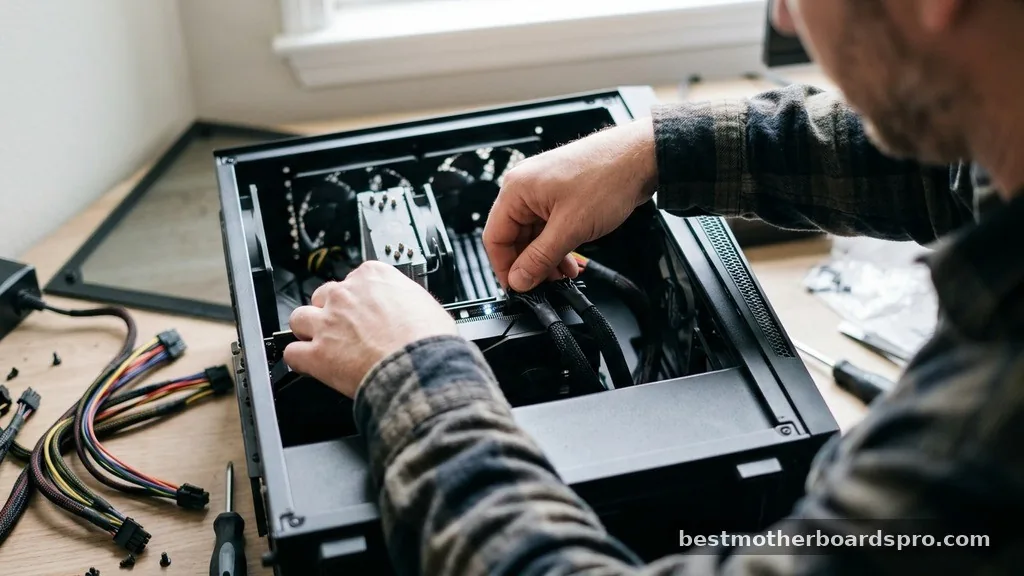
Ensure that the PCIe power cables coming from your power supply are firmly pushed into the GPU. If you are using extension cables, remove them temporarily to rule them out as a source of failure. A loose power connector is a common culprit that prevents the card from initializing, triggering that persistent white LED.
Clearing the CMOS

Sometimes, the motherboard’s BIOS settings can become corrupted or stuck in a configuration that prevents it from recognizing the GPU. Resetting the CMOS (Complementary Metal-Oxide-Semiconductor) restores the BIOS to factory defaults. You can usually do this by removing the small circular battery on the motherboard for about 30 seconds or using the clear CMOS jumper pins.
Comparing Diagnostic LED Meanings
Different colors and locations of LEDs provide specific information about your system’s health. While a white light is commonly linked to the VGA, other colors may indicate different issues.
| LED Color | Common Meaning | Action Required |
|---|---|---|
| Red | CPU Error | Check processor seating and cooler pressure. |
| Yellow/Orange | DRAM Error | Reseat RAM sticks or test one at a time. |
| White | VGA Error | Check GPU seating and power cables. |
| Green | Boot Error | Verify storage drive connection and boot order. |
Addressing Topical Gaps and Advanced Issues
A frequently overlooked reason for a persistent white light is the use of a PCIe riser cable. If you are running a vertical GPU mount, the riser cable itself might be faulty or incompatible with the PCIe generation settings in your BIOS.
If you have a white light, try plugging the GPU directly into the motherboard. If it works, your riser cable is the problem.
Another advanced scenario involves outdated BIOS firmware. If you recently upgraded to a new processor or a newer generation of graphics card, your motherboard might not recognize the hardware properly.
You may need to use a BIOS flashback feature—if your board supports it—to update the firmware without needing to enter the system or see a display. This allows you to update the board using only a USB stick and a power supply, bypassing the need for a working GPU boot.
FAQ
Does a white light always mean my GPU is broken?
No, a white light is usually a signal of a communication error rather than a hardware failure. It most often indicates that the graphics card is not seated correctly, lacks sufficient power, or the monitor is not receiving a signal from the card’s output port.
Can a faulty monitor cause a white motherboard light?
While the monitor itself rarely causes the motherboard to show a light, using the wrong input settings or a damaged cable can prevent the signal from reaching the screen. This makes it appear as though the PC is not booting, even if the system is actually running correctly.
What should I do if the white light persists after reseating the GPU?
If reseating the card and checking power cables fails, try clearing the CMOS to reset BIOS settings. You should also test the GPU in a different PCIe slot if your motherboard has one, or try using a different video cable to rule out a faulty connection.
Is it safe to use my computer with the white light on?
If the white light remains on, it means your computer has failed the POST process and will not display an image. It is not safe or possible to use the machine in this state, as the system has halted the boot process to protect your hardware from further errors.
Conclusion
Identifying why there is a white light on my motherboard is a straightforward process when you treat it as a diagnostic signal rather than a permanent hardware failure. Most users find that a simple reseating of the graphics card or correcting a loose power cable clears the error instantly. By working through the components methodically—from cables and connections to CMOS resets—you can isolate the issue and get back to your tasks.
If you have tried these steps and the light remains, it might be time to test the graphics card in another system or consult the motherboard manual for specific manufacturer error codes. Don’t let the light intimidate you; it is simply a tool to help you maintain your tech.



