


Knowing how long does a motherboard last is essential for anyone managing a desktop or laptop, as it serves as the central nervous system for your hardware. While these boards don’t have moving parts that wear down like a mechanical hard drive, they are susceptible to electrical stress, heat, and age. Most users find that their systems remain functional for several years before needing an upgrade.
Understanding the factors that influence the longevity of your mainboard can help you extend its service life significantly. By recognizing early warning signs and maintaining your PC properly, you can avoid unexpected crashes and ensure your machine stays operational for as long as possible.
General Lifespan Expectations for Motherboards
A motherboard typically lasts between five and ten years under normal operating conditions. While this hardware doesn’t “expire” like a carton of milk, the electronic components soldered onto the board eventually degrade.
Capacitors, specifically, are often the first parts to show their age. When these components fail, they can no longer regulate voltage effectively, leading to system instability.
Most users upgrade their PCs long before the motherboard actually dies. You might find yourself wanting the latest CPU or faster RAM, which often requires a new socket or chipset. Consequently, the functional lifespan of a motherboard is often dictated by technological obsolescence rather than physical failure.
| Usage Scenario | Estimated Lifespan | Primary Stress Factor |
|---|---|---|
| Casual Office/Home Use | 8–12 Years | Dust buildup and ambient heat |
| Gaming/Content Creation | 5–8 Years | Voltage fluctuations and thermal cycles |
| Server/24-7 Operation | 3–6 Years | Constant power draw and component wear |
Factors That Influence Motherboard Longevity
Several variables determine how long your board will remain operational. Environmental factors are often overlooked, yet they play a massive role in the health of your system.
Thermal Management and Cooling
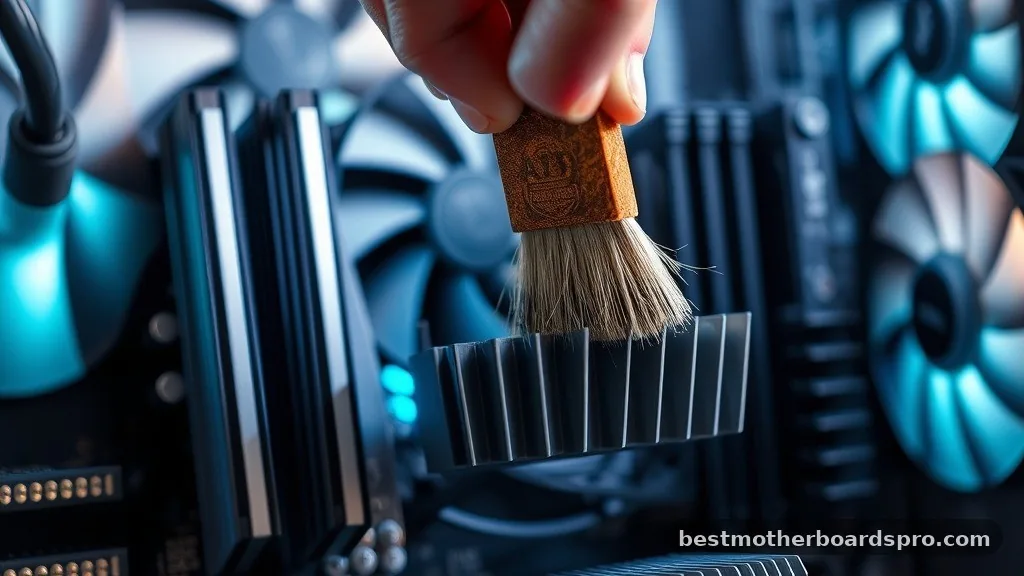
Heat is the primary enemy of electronics. If your PC operates in a poorly ventilated case, the components on the motherboard, such as the voltage regulator modules (VRMs), will run hot. Over time, constant thermal expansion and contraction can cause microscopic cracks in solder joints. Ensuring that your cooling fans are clean and that your case has proper airflow can significantly extend the life of your board.
Power Stability and Electrical Issues

Poor power quality can kill a motherboard faster than anything else. Using a low-quality power supply unit (PSU) can introduce electrical noise or voltage spikes that damage delicate circuits. A high-quality power supply with stable output is one of the best investments you can make to protect your system. If you live in an area with frequent power outages or surges, a surge protector or an uninterruptible power supply (UPS) is mandatory.
Physical Damage and Corrosion
Physical stress, such as overtightening a CPU cooler or dropping a screw onto the board, can cause immediate failure. Furthermore, high humidity can cause corrosion on the traces, especially if the computer is stored in a damp basement or garage. Keeping your environment dry and handling components with care during upgrades prevents many common issues.
Identifying Signs of a Dying Motherboard
Recognizing when your hardware is nearing the end of its life can save you from losing important data. Motherboard failure is rarely instantaneous; it usually manifests through a series of increasingly frustrating symptoms.
- Random system reboots or sudden power shutdowns without warning.
- USB ports or peripheral connections intermittently disconnecting.
- The BIOS failing to detect connected hardware like RAM, SSDs, or GPUs.
- Leaking or bulging capacitors visible upon visual inspection of the board.
- System failing to post or reach the operating system during startup.
- Frequent Blue Screen of Death (BSOD) errors pointing to memory or hardware controller issues.
If you notice these signs, start by checking your cables and clearing your CMOS. Sometimes, a simple BIOS reset is enough to fix a controller glitch that feels like a hardware failure.
Addressing Topical Gaps: Motherboard Batteries and CMOS
A common point of confusion is the small, coin-shaped battery located on most motherboards. This is a CR2032 lithium battery, and it powers the CMOS chip, which stores your BIOS settings and the system clock when the PC is unplugged.
When this battery dies—typically after five to seven years—your motherboard won’t necessarily fail, but you will notice specific issues. You might see “CMOS Checksum Error” messages at boot, or your system time might reset to a default date every time you turn the power off.
Replacing this battery is an inexpensive, ten-minute fix that can breathe new life into an aging board. It is important to note that the death of this battery is not an indicator that the motherboard itself is dying.
Maintenance Tips to Extend Hardware Life
You can take proactive steps to ensure your system reaches the upper end of its expected lifespan. Maintenance is about reducing stress on the electrical components.
First, keep the interior of your PC clean. Dust acts as an insulator, trapping heat against the motherboard’s components. Use compressed air once or twice a year to clear out the dust from your fans and heatsinks.
Second, avoid overclocking unless you have a high-end board with superior power phases and cooling. Overclocking forces components to run at higher voltages, which accelerates degradation.
Finally, ensure your drivers and BIOS firmware are up to date. While this doesn’t physically change the board, manufacturers often release updates that improve power management efficiency, which can help keep the board running cooler and more reliably over time.
Frequently Asked Questions
How can I tell if my motherboard is actually dying?
If your computer experiences frequent, random crashes, fails to detect hardware, or refuses to boot despite troubleshooting, your motherboard may be failing. Visual signs, such as bulging capacitors or burnt marks near the power phases, are definitive indicators that the board has reached the end of its life.
Is it worth repairing a motherboard?
In most cases, no. Repairing a motherboard requires specialized micro-soldering skills and often costs more than purchasing a replacement board. Unless the issue is a simple component like the CMOS battery, it is usually more cost-effective and reliable to replace the board with a modern equivalent.
Does leaving a computer on 24/7 shorten the motherboard lifespan?
Leaving a computer on constantly can actually prevent the thermal stress caused by powering up and down. However, it keeps the components under a constant electrical load and accumulates more dust. For most users, turning the computer off at night is perfectly fine and won’t significantly impact your hardware.
What should I do if my motherboard fails?
If your board dies, back up your data first. If your storage drives are healthy, you can move them to a new system. When buying a replacement, ensure the new board supports your current CPU and RAM to avoid needing to replace all your core components at once.
Final Thoughts
Understanding how long does a motherboard last helps you manage your expectations for your PC’s performance over the years. By prioritizing stable power, keeping your system cool, and maintaining a clean environment, you can easily get a decade of reliable service from a high-quality unit. While components like capacitors will eventually succumb to age, proper care ensures that you aren’t forced into an expensive upgrade before you are ready.
If your system begins showing signs of instability, perform a thorough check of your power supply and connections before assuming the worst. Taking these simple steps will ensure your machine remains a reliable tool for your daily tasks for years to come.



