

When you’re planning a custom PC build that prioritizes a compact footprint without sacrificing raw performance, understanding what an itx motherboard actually offers is your first step. These boards represent the smallest standard form factor widely available for consumer desktop computing, measuring just 6.7 by 6.7 inches.
Because they pack a surprising amount of hardware into a tiny frame, they have become the gold standard for enthusiasts who want a powerful machine that fits on a crowded desk or in a minimalist living room setup. You’ll find that modern iterations are far from the stripped-down, underpowered boards of the past, often rivaling their larger counterparts in everything but physical size.
Defining the ITX Standard
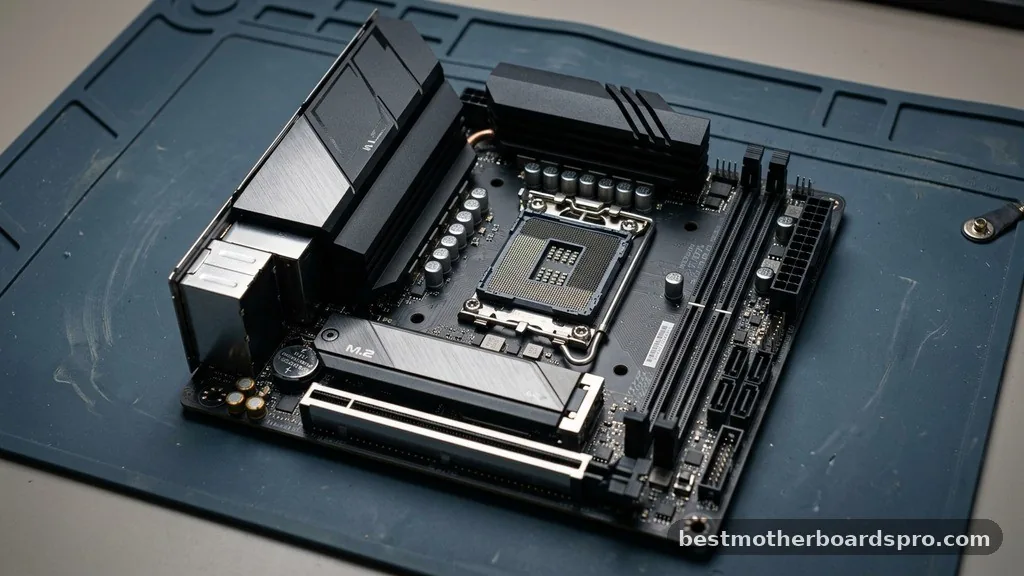
An itx motherboard is a compact circuit board designed to fit into small-form-factor cases. The “ITX” designation, standing for Information Technology eXtended, was developed by VIA Technologies in the early 2000s to push the boundaries of how much computing power could exist within a limited space. While the original vision included even smaller variants, the mini-itx motherboard became the industry survivor, cementing itself as the go-to choice for hobbyists who enjoy the challenge of “SFF” or Small Form Factor building.
The physical footprint is the most obvious differentiator. At 170mm by 170mm, these boards are drastically smaller than standard atx boards, which typically measure 305mm by 244mm. This reduction in size means you lose some of the expansion slots found on larger boards, but you gain the ability to build a system that occupies a fraction of the volume of a traditional tower.
Comparing Motherboard Form Factors
When you look at the landscape of PC hardware, you will notice that the physical dimensions dictate the number of components you can install. The following table highlights the differences between common motherboard sizes you might encounter while shopping for your next rig.
| Form Factor | Dimensions (mm) | Primary Use Case |
|---|---|---|
| Mini-ITX | 170 x 170 | Compact gaming, home theater, SFF builds |
| Micro-ATX | 244 x 244 | Budget-conscious builds, moderate expansion |
| ATX | 305 x 244 | Standard gaming, workstations, multi-GPU |
Performance and Component Integration
Many people mistakenly assume that a small board implies a performance penalty. In reality, modern itx boards are often packed with high-end features that cater to power users.
Manufacturers like Asus have invested heavily in this segment, producing enthusiast-grade options like the ROG Strix series. These boards frequently feature advanced power stages, which are essential for maintaining stable voltage to high-end CPUs during intense gaming sessions or heavy rendering workloads.
You will often find that these boards come equipped with integrated gaming wifi, high-quality audio chipsets, and robust heatsinks to manage thermals in tight spaces. Because there is so little room for air to circulate in a small case, engineers prioritize efficient heat dissipation. If you look at a premium strix gaming board, you’ll see that every square inch is utilized, often using daughterboards or vertical mounts to stack components like M.2 drives and audio controllers.
The Practical Trade-offs of Mini-ITX
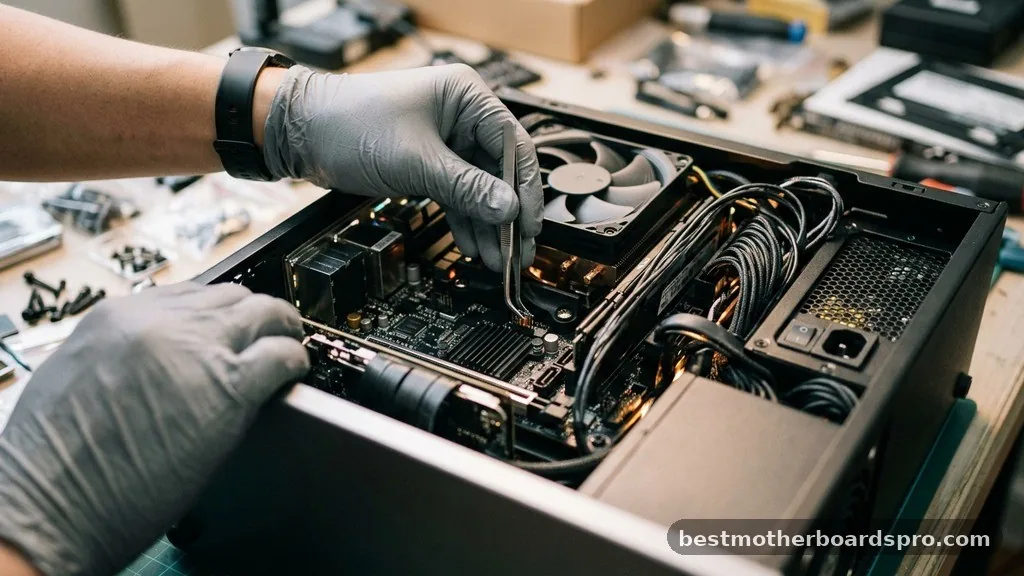
While the aesthetic and space-saving benefits are clear, there are specific realities you must accept when choosing an itx motherboard. You are limited to a single PCIe slot, which means you cannot run multiple graphics cards.
For the vast majority of modern users, this is a non-issue, as the days of SLI and Crossfire are largely behind us. However, it does mean your expansion options are restricted to what the board provides out of the box.
Another consideration is the motherboard power delivery and physical layout. Because the connectors are packed tightly together, cable management can be an exercise in patience.
You’ll want to invest in a modular power supply to avoid stuffing unused cables into a case that already has limited airflow. Some modern boards have introduced features like Q-release slim mechanisms to make it easier to remove a graphics card from a cramped case, showing that manufacturers are listening to the specific pain points of the SFF community.
Choosing the Right Platform: AMD vs Intel
Your choice of CPU will dictate which itx motherboards are available to you. Whether you prefer AMD or Intel, you will find that the top-tier chipset variants are usually available in the ITX form factor. If you are building with the latest generation of processors, check for features like stages DDR memory support, which allows for faster clock speeds and better stability.
* Check for sufficient fan headers to manage case airflow.
* Verify the M.2 slot location; some are on the back of the board, which can run hot.
* Ensure your chosen case supports the specific height of your CPU cooler.
* Look for Aura Sync or similar RGB headers if you care about lighting aesthetics.
* Confirm that the rear I/O shield is pre-installed, as it makes installation much easier in a small case.
Addressing Common Topical Gaps
One question that often arises involves the “Nano” or “Pico” ITX variants. These are industrial standards rather than consumer-grade components.
You won’t typically find these in a gaming PC; they are reserved for embedded systems, digital signage, or specialized computing hardware. If you are building a home PC, stick to the mini-itx motherboard standard to ensure compatibility with consumer cases and power supplies.
Another common concern is the price. Because these boards require high-density multi-layer PCBs and specialized engineering to fit all the necessary components, they often cost more than their Micro-ATX counterparts. You are paying a premium for the miniaturization process and the high-quality components required to keep the board stable in a high-density environment.
FAQ
What is the primary difference between ITX and ATX?
The primary difference is physical size and expansion capability. An ATX board is much larger, offering multiple PCIe slots for add-in cards like capture devices or sound cards. An ITX board is significantly smaller, typically providing only a single PCIe slot for your primary graphics card.
Are there major disadvantages to using an ITX motherboard?
The main disadvantages are the limited expansion options and the potential for higher thermal density. Because the components are packed tightly, you must be more careful with your case airflow and cooling choices. Additionally, they are often more expensive due to the complex, compact circuit board design.
Is Micro-ATX smaller than an ITX motherboard?
No, Micro-ATX is larger than an ITX motherboard. While Micro-ATX is smaller than a standard ATX board, it still provides more space for additional components and typically features more RAM slots and expansion headers, making it a middle-ground option between compact ITX and full-sized ATX builds.
Can I use a standard gaming GPU with an ITX motherboard?
Yes, you can use almost any standard graphics card, provided your PC case has the physical clearance to fit the length and thickness of the card. Always check the maximum GPU length specified by your case manufacturer to ensure your chosen hardware will fit comfortably inside the chassis.
Building with an itx motherboard is a rewarding process that forces you to be more intentional about your hardware choices. You aren’t just slapping parts into a cavernous tower; you’re engineering a high-performance system that occupies minimal space. By focusing on quality components, effective airflow, and thoughtful cable management, you can create a machine that looks as good as it performs.
Whether you are aiming for a minimalist workstation or a powerful gaming rig, the compact nature of these boards provides a unique satisfaction that larger builds simply cannot replicate. Start by identifying the CPU platform you need, match it with a high-quality board, and enjoy the process of crafting a custom machine that fits perfectly into your life.



