


Finding the right foundation for your PC build often comes down to understanding what makes a good motherboard for your specific needs. While the processor and graphics card grab the headlines, the mainboard acts as the central nervous system, connecting every component and ensuring they communicate effectively.
Identifying the ideal board isn’t just about picking the most expensive option on the shelf; it’s about balancing connectivity, power delivery, and future-proofing. Whether you are aiming for a high-end workstation or a compact gaming rig, recognizing which technical specifications matter will save you from overspending on features you never use while helping you avoid bottlenecks that hinder your system’s performance.
The Importance of Chipset Compatibility
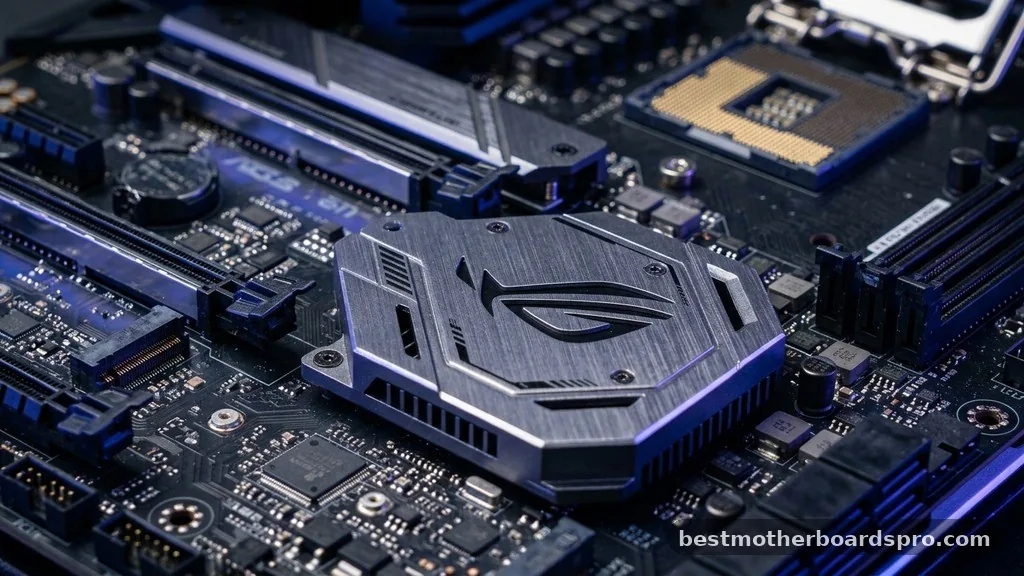
The chipset compatibility serves as the primary filter when narrowing down your choices. This silicon brain dictates the communication pathway between the CPU, memory, and storage devices.
Before looking at aesthetic features, you must confirm that the board supports your chosen processor. For instance, an AM5 socket is exclusive to newer AMD Ryzen processors, while Intel boards utilize specific LGA configurations.
Choosing the right chipset also determines your expansion capabilities. Higher-tier chipsets often offer more high-speed USB ports, better multi-GPU support, and advanced overclocking features.
If you are building a budget-friendly office machine, a basic chipset is perfectly adequate. However, if you plan to push your hardware to its limits, investing in a premium chipset provides the necessary overhead for stability and performance tuning.
Power Delivery and VRM Quality
When you look at what makes a good motherboard, the quality of the power delivery system is arguably the most critical factor for system stability. The VRM power phases are responsible for converting the power from your power supply unit into the clean, consistent voltage required by your CPU. If these components are subpar, your processor may throttle under load, or the system might crash during intensive tasks.
Look for boards that feature robust thermal heatsinks over the VRM area. These metal blocks dissipate heat away from the power stages, ensuring they don’t overheat during long gaming sessions or heavy rendering workloads. High-quality capacitors and chokes are also indicators of a well-engineered board that will last for years.
Expansion and Connectivity Options
Your motherboard dictates how many devices you can connect to your system. Modern builds rely heavily on high-speed storage, making the number of M.2 NVMe slots a top priority. These slots allow you to plug in ultra-fast solid-state drives directly onto the board, bypassing the slower cables required by traditional SATA ports.
Beyond storage, consider the layout and count of PCIe lanes. These lanes determine how many add-in cards—like capture cards, sound cards, or additional networking hardware—you can install. If you need a clean, professional look, an integrated I/O shield is a fantastic quality-of-life feature that simplifies the installation process and provides better protection for your rear ports.
| Feature | Budget Board | Premium Board |
|---|---|---|
| VRM Cooling | Minimal/None | Active/Large Heatsinks |
| M.2 Slots | 1-2 | 3-4+ (with Gen5 support) |
| Networking | 1Gbps LAN | 2.5Gbps/10Gbps + Wi-Fi 7 |
| PCB Layers | 4-6 | 8-10+ |
Memory and BIOS Functionality
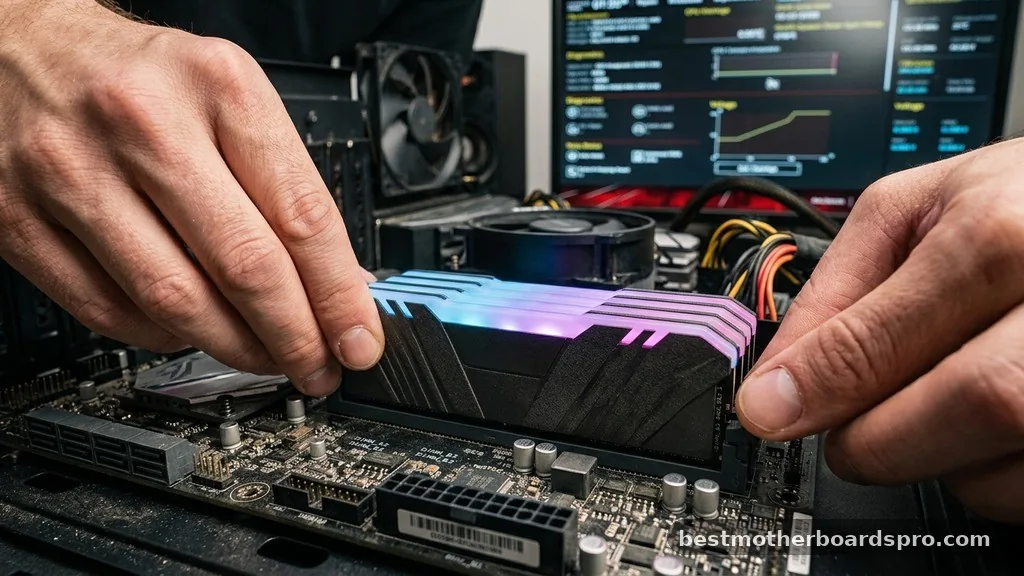
The number of RAM DIMM slots determines your maximum memory capacity and upgrade path. Most standard builds use two or four slots, but you should verify that the board supports the speed and capacity of the RAM modules you intend to install. A motherboard with high-quality trace routing is essential if you plan to run high-frequency memory kits, as it minimizes signal interference.
Equally important is the BIOS UEFI interface. A well-designed BIOS makes it easy to monitor temperatures, configure fan curves using dedicated fan headers, and enable XMP or EXPO profiles for your RAM.
Features like BIOS flashback are lifesavers, allowing you to update the system firmware via a USB drive even if the CPU isn’t installed. This utility provides a safety net if you ever need to support a newer processor without buying a new board.
Addressing Common Build Concerns
Many builders worry about whether their components will fit or if they are missing critical diagnostic tools. A common gap in entry-level boards is the lack of debug LEDs.
These small lights on the PCB illuminate to tell you exactly which component is failing during the boot process—whether it’s the RAM, CPU, or GPU. Having these indicators saves hours of troubleshooting.
Another overlooked aspect is the PCB layers. A motherboard with more layers provides better electrical isolation, which reduces noise for the audio codec and improves stability for high-speed signals. If you are building a small form factor PC, ensure you stick to the ATX form factor or smaller (like Micro-ATX or Mini-ITX) that matches your case specifications.
- Check the total number of fan headers to ensure you can power your case cooling setup.
- Verify the quality of the onboard audio codec if you are an audiophile or gamer.
- Look for reinforced PCIe slots if you are using a heavy, high-end graphics card.
- Ensure the Ethernet controller supports at least 2.5Gbps for modern networking speeds.
- Consider the placement of headers to ensure clean cable management in your chassis.
Overclocking Headroom and Future-Proofing
If you are a performance enthusiast, the overclocking headroom is non-negotiable. This refers to the board’s ability to provide stable voltage to the CPU even when it is pushed beyond factory speeds. Boards marketed for overclocking often feature additional power connectors for the CPU and highly refined power phases designed to handle the extra thermal load.
Even if you don’t plan to overclock immediately, buying a board with these features ensures your system remains relevant longer. A higher-quality motherboard is more likely to support future CPU generations within the same socket type and provide better compatibility with upcoming standards like faster PCIe generations.
FAQ
How many M.2 slots do I really need?
For most users, two M.2 slots are sufficient: one for your primary OS drive and one for extra storage. If you work with large video files or run multiple games simultaneously, having three or more slots allows for easier expansion without relying on slower, cable-heavy SATA drives.
Do I need to worry about the number of PCB layers?
Generally, you do not need to count layers unless you are pushing extreme overclocks or require high-end signal integrity for professional audio work. Most standard consumer boards use enough layers to ensure stable operation for everyday tasks, gaming, and moderate content creation without any issues.
What is the benefit of an integrated I/O shield?
An integrated I/O shield makes motherboard installation much easier, as you won’t have to struggle with a separate, sharp piece of metal when aligning the board in your case. It also provides a cleaner aesthetic and often includes better grounding for your rear USB and audio ports.
Is a more expensive motherboard always better for performance?
Not necessarily. A more expensive board typically offers more connectivity, better cooling, and advanced features, but it won’t inherently make your CPU or GPU faster. Performance gains from a premium board usually come from better stability, overclocking support, and the ability to maintain higher speeds for longer durations.
Choosing Your Foundation
Ultimately, what makes a good motherboard is its ability to support your specific hardware goals without unnecessary complications. By focusing on reliable power delivery, enough expansion slots for your storage and add-in cards, and a user-friendly BIOS interface, you create a stable environment for your components to shine. Don’t let marketing jargon distract you from the essentials like VRM quality and chipset features that align with your CPU choice.
Selecting the right board is an investment in your system’s longevity. When you prioritize structural integrity and connectivity over flashy RGB lighting, you ensure that your computer remains a dependable tool for years to come.
Take your time to compare the layout and technical specifications, and you will build a machine that is as capable as it is reliable. Happy building, and feel free to reach out if you need help matching components for your next project.



