


Figuring out how to set the clock on a microwave often feels like a minor puzzle you’d rather not solve, especially after a power flicker wipes your kitchen appliances clean. Whether you just moved into a new place or a recent storm reset your kitchen electronics, getting the time display back to normal is a quick fix once you identify your specific interface.
Most modern machines follow a similar logic, though the exact sequence of buttons varies between brands. By understanding how your specific control panel works, you can stop guessing and get your kitchen running on the right schedule in just a few moments.
Identifying Your Control Panel Layout
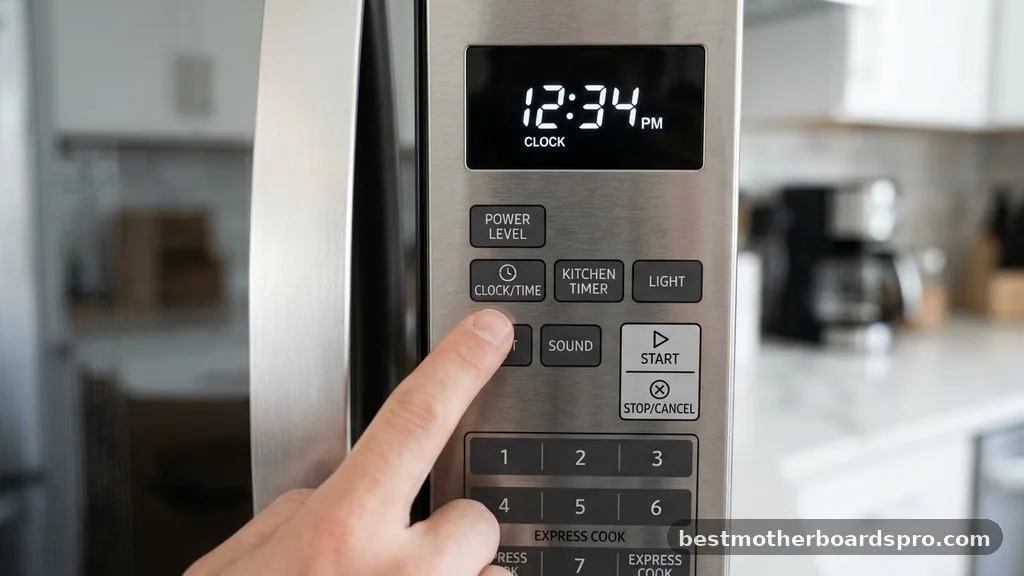
Before you start hunting for a dedicated button, take a close look at the control panel. Manufacturers design these interfaces with different priorities, so the process for updating the time day depends heavily on the model you own. Some units have a clearly labeled button, while others hide the function behind a secondary menu or a combination of keys.
If you see a button explicitly labeled “Clock” or “Timer,” you have already found your primary tool. If that button is missing, look for a “Settings” or “Options” pad.
In some cases, you might even need to hold down a button like “Stop/Clear” for three seconds to enter the menu mode. Recognizing these patterns is the first step in mastering your appliance’s interface.
Standard Procedures for Most Microwave Models
For the vast majority of consumer appliances, the process follows a predictable sequence. You are essentially telling the onboard computer that you want to adjust the system time rather than initiate a cooking cycle.
- Press the Clock button once to initiate the programming mode.
- Enter the current time using the number pad.
- Confirm your entry by pressing the Clock button again or selecting Start.
- Check the display to ensure the colon is flashing or the time remains steady.
If your model uses a dial rather than a number pad, the logic shifts slightly. You will typically press the Clock button, then turn the dial to select the correct hour.
After pressing the dial or the clock button to confirm the hour, you repeat the process for the minutes. This tactile approach is common on high-end convection models and European-style units.
Handling Models Without a Dedicated Clock Button
Many modern, minimalist designs omit a dedicated clock button to keep the face clean. When you find yourself staring at a blank or flashing display on one of these devices, you must look for “hidden” triggers. Often, manufacturers use a long-press feature on existing buttons to save space on the control pad.
Try holding the “Stop/Cancel” button or the “Timer” button for three to five seconds. If the display begins to blink, the unit has entered the configuration mode.
From here, you can input the time using the standard number pad. Some brands, like GE or Samsung, sometimes require you to press “Options” or “Setup” and then navigate with the arrow keys to find the clock configuration menu.
Comparing Clock Setting Methods
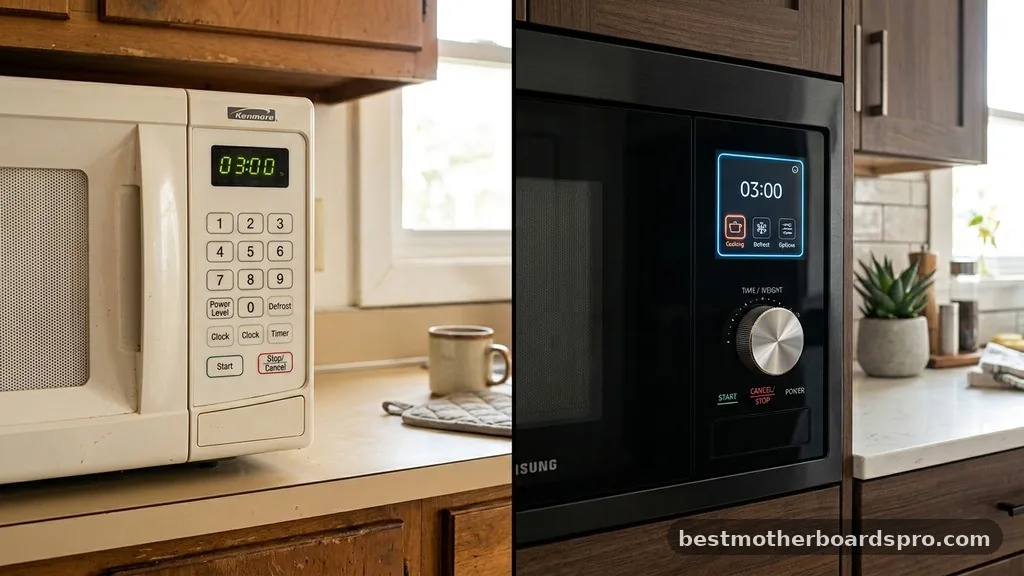
The following table breaks down the common interaction methods you might encounter across different kitchen appliance designs.
| Control Type | Primary Action | Secondary Action |
|---|---|---|
| Number Pad | Press Clock | Enter digits directly |
| Turn Dial | Press Clock | Rotate and press dial |
| Touch Menu | Press Settings | Use arrows to find “Time” |
| Hidden/Long Press | Hold Stop/Clear | Input digits when blinking |
Troubleshooting Common Display Issues
Sometimes, simply knowing how to set the clock on a microwave isn’t enough if the display itself is glitching. If the screen remains unresponsive even after you follow the steps, the issue might be a temporary power surge or a stuck button.
First, try a hard reset. Unplug the unit from the wall power outlet and wait for at least 60 seconds. This allows the internal capacitors to discharge fully, which often clears out minor software errors that prevent the clock from being set.
Once you plug it back in, the display should show a default time or a blinking prompt. If the display remains dead, ensure the unit is receiving power by testing the outlet with another small appliance, like a toaster or a lamp.
Addressing Topical Gaps: Why the Clock Matters
While a microwave clock might seem trivial, it often serves as the primary timekeeper for a kitchen. Beyond the obvious convenience, keeping the clock accurate is vital for tracking cooking times accurately. If you are using your microwave to soften butter, melt chocolate, or steam vegetables, precision is key.
Furthermore, many microwave clocks are tied to the internal power management system. If the clock isn’t set, some advanced models may default to a “Demo Mode” or a restricted power state.
By ensuring the time is correct, you are effectively confirming that the unit is fully operational and ready to function at its peak performance level. If your model supports it, the clock settings may also dictate when the unit enters a low-power “sleep” state to save on your electricity bill.
Expert Tips for Frequent Power Outages
If you live in an area prone to storms or frequent power flickering, you likely find yourself setting the clock on your microwave more often than you would like. Instead of viewing it as a chore, keep a small index card inside a kitchen cabinet with the specific button sequence for your model.
It is also helpful to check the user manual if you have it stored away. If the physical copy is long gone, you can easily search for your model number online.
Most manufacturers provide PDF versions of their manuals, which contain the exact sequence for configuring the clock and other hidden features. Simply searching the brand and model number followed by “user manual” will lead you to the digital version in seconds.
FAQ: Common Questions About Microwave Clocks
Can I disable the clock display entirely?
Yes, many microwaves allow you to hide the clock display to save energy or reduce light in the kitchen at night. Usually, you can toggle the display off by holding down the “0” button or the “Clock” button for several seconds until the screen goes completely dark.
Why does my microwave clock keep resetting?
A clock that resets repeatedly is often a sign of a loose power connection or an unstable electrical circuit. If your microwave is plugged into an outlet shared with other high-draw appliances, the voltage drop might cause the control board to reboot. Try moving it to a dedicated circuit.
What if my microwave doesn’t have a clock feature?
Some budget-friendly or commercial-grade microwaves are designed without a clock to keep costs down and simplify operation. If your unit lacks a clock button or a time-setting menu in the settings, it is likely that the model was never intended to display the time of day.
Is it possible to adjust the brightness of the display?
Many modern units offer a “Display Dim” or “Night Mode” setting. You can typically access this by pressing the “Settings” or “User Pref” button and cycling through the menu options until you reach the brightness adjustment. This is particularly useful if your microwave is located near a bedroom.
Final Thoughts on Appliance Management
Mastering the simple task of setting the clock on a microwave is one of those small, satisfying wins that makes a kitchen feel fully functional. While the interface design varies across manufacturers, the underlying logic remains consistent: locate the configuration mode, input the current time, and confirm your selection. Whether you are dealing with a standard push-button panel or a more complex dial-based system, these steps will help you get back on schedule.
If you ever find yourself stuck, don’t hesitate to check the manufacturer’s website for your specific model’s manual. Taking a moment to organize your appliances ensures that your daily routine runs smoothly, giving you one less thing to worry about during your busy day.



